SIMULIA
Overview
SIMULIA - Cloud-Powered Advanced FEA for Accurate, Collaborative Product Validation
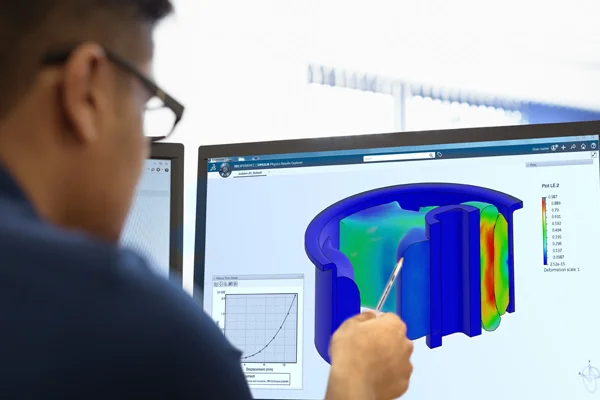
Confidence in Design comes with FEA Simulation using 3DEXPERIENCE Works Simulation Software SIMULIA Works built on ABAQUS FEA – The Industry Standard for Finite Element Analysis. Testing concepts and ensuring they are feasible and meet desired objectives in terms of function and performance are critical to product success in the marketplace.
Built on Cloud 3DEXPERIENCE Platform, Engineers can leverage the power of cloud computing to deliver reliable results faster and easier than ever before. Expensive infrastructure to perform high performance computing is now not required. Dassault Systemes 3DEXPERIENCE Platform ensures speed, accuracy and availability of data on demand at a fraction of the cost required to put up such an infrastructure and having an IT infrastructure for maintaining it.
3DEXPERIENCE Works SIMULATION is powered by ABAQUS technology, enabling simulation from simple linear studies to complex real-world nonlinear analysis with cloud-based scalability and collaborative access.
Core Functionalities
Cloud-Based FEA Simulation
Simulate SOLIDWORKS designs on the cloud for a truly collaborative approach without infrastructure costs.
DWG File Editing
Solve static, structural, vibration, dynamic, and non-linear finite element simulations efficiently.
Advanced Abaqus Technology
Leverage industry-leading Abaqus capabilities from basic linear static to complex nonlinear implicit and explicit analysis.
Fluid Simulation
Perform extensive thermal modelling, industry-standard turbulence modelling, and Fluid-Structure Interaction (FSI) analysis.
DWG to PDF Conversion
Easily convert DWG drawings into PDF format for sharing and documentation.
AutoCAD Alternative
Provides a cost-effective alternative for professionals seeking full DWG compatibility.
Professional-Grade Tools
Designed for Architecture, Engineering, and Construction professionals requiring reliable 2D CAD solutions.
Features
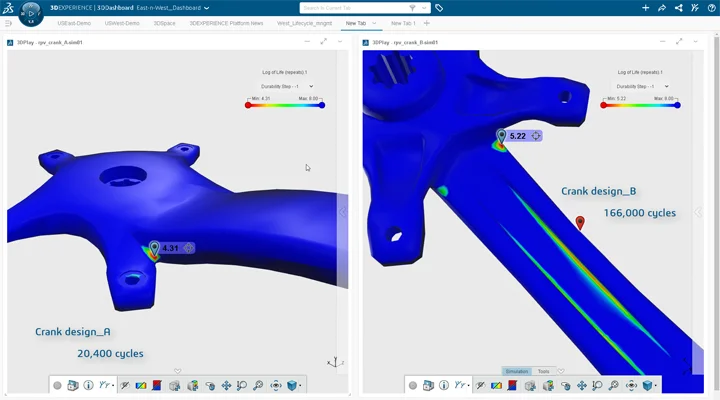
3DEXPERIENCE SIMULIA Structures – Abaqus-Powered Linear to Advanced Nonlinear Structural Analysis
- Structural Designer – Intuitive and guided Simulation Solution for Designers
- Structural Engineer – Product verification with Solid, Shell and Beam Meshes
- Structural Performance Engineer – Linear and Non-Linear Static and Quasi-Static Simulations
- Structural Mechanics Engineer – Linear and Highly advanced Non-linear simulation of High-speed events
- Durability Performance Engineer & Durability Mech anics Engineer – Fatigue life prediction and ensure product durability
- Simulation Collaborator – Review and Compare Simulations for informed decision making
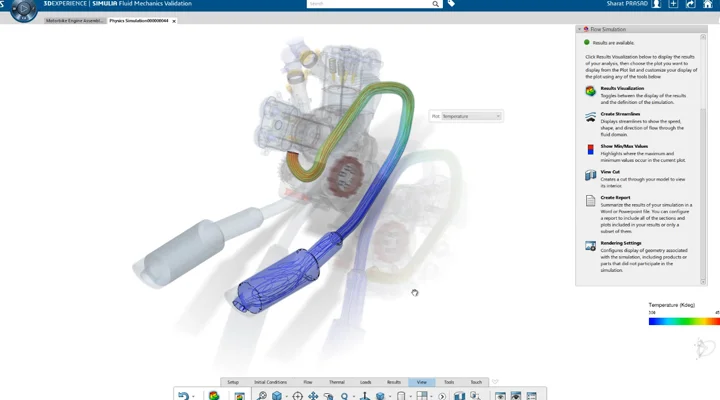
3DEXPERIENCE SIMULIA Fluids – Advanced Thermal, Turbulence & Fluid-Structure Interaction Simulation
- 3DEXPERIENCE Fluid capabilities includes extensive thermal modelling, Industry standard turbulence modelling, Fluid-Structure Interaction etc. With these capabilities any complexity of fluid problems can be addressed with efficient solution at ease.
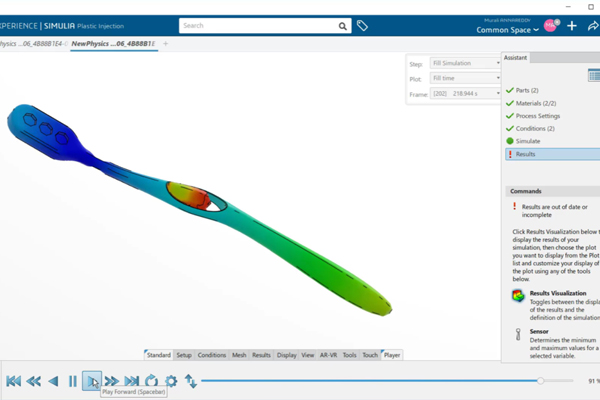
3DEXPERIENCE SIMULIA Fluids – Advanced Thermal, Turbulence & Fluid-Structure Interaction Simulation
- 3DEXPERIENCE Fluid capabilities includes extensive thermal modelling, Industry standard turbulence modelling, Fluid-Structure Interaction etc. With these capabilities any complexity of fluid problems can be addressed with efficient solution at ease.
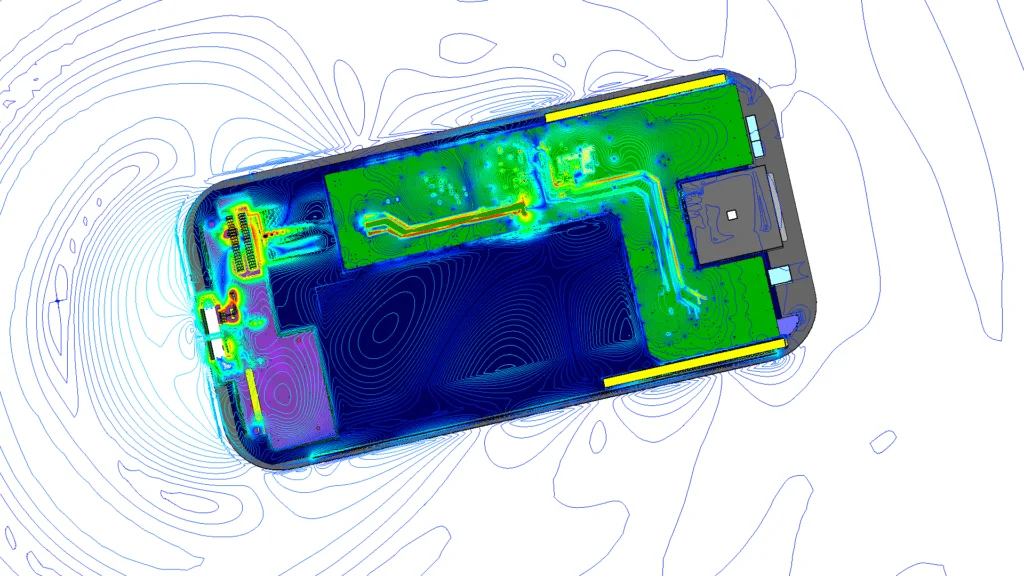
3DEXPERIENCE SIMULIA Electromagnetics – CST-Powered EMC & EMI Analysis
- Electromagnetics capabilities provided by the 3DEXPERIENCE SIMULIA is powered by industry proven CST Studio Suite technology. Capabilities provided in the platform can be used to find and moderate for Electromagnetic Compatibility and Electromagnetic Interference
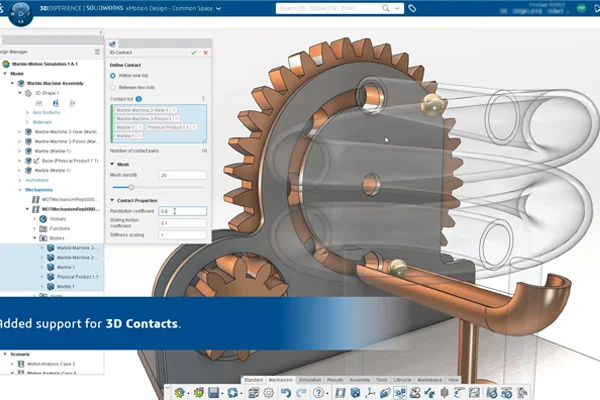
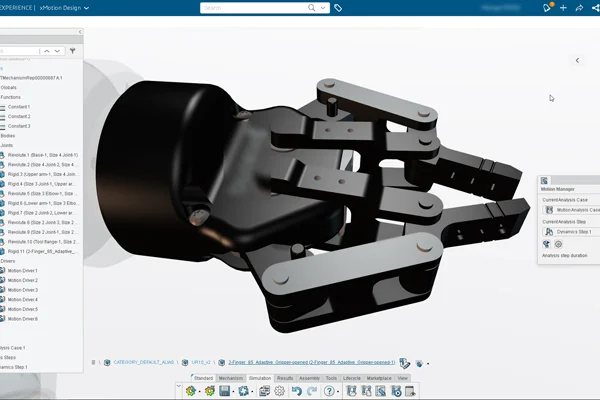
3DEXPERIENCE 3DMotion Creator – Realistic Motion Simulation with 3D Animation & Kinematic Analysis
- 3DMotion creator role provides capabilities to check for more realistic design environment along with more intuitive, interactive and co-radially integrated motion for true life like experience. Product motion can be understood with realistic 3D animation, Kinematic and dynamic plots
3DEXPERIENCE Simulation Collaborator – Design Review, Trade-Off Analysis & Collaborative Decision Making
- Simulation Collaborator role enables collaborative decision making by 3DDashboard to review, compare and perform trade-offs between design variations. The Trade Off application accelerates the selection of best design and ranking designs based on requirements. Project stakeholders can review and collaborate.
| Features of ESSENTIAL TOOLS |
|---|
|
Draw Tools (Line, Polyline, Arc, Circle, Ellipse, Table, Hatch, Cloud, Block…) |
|
Modify Tools (Move, Copy, Rotate, Array, Scale, Trim, Chamfer, Split…) |
|
Layer, Block, Group, Print |
|
Drawing Standards and Templates |
|
Polyline Editing |
|
Hatch Layer |
|
Discarding Duplicate Entities |
|
SVG Scalable Icons for HD Displays |
|
Hairline Option for Printout |
|
Layer Preview |
|
Block – Redefine Base Point |
| Professional |
|---|
|
|
|
|
|
|
|
|
|
|
|
|
|
|
|
|
|
|
|
|
|
|
| Premium |
|---|
|
|
|
|
|
|
|
|
|
|
|
|
|
|
|
|
|
|
|
|
|
|
| Enterprise |
|---|
|
|
|
|
|
|
|
|
|
|
|
|
|
|
|
|
|
|
|
|
|
|
| Enterprise Plus |
|---|
|
|
|
|
|
|
|
|
|
|
|
|
|
|
|
|
|
|
|
|
|
|
Choosing the right SOLIDWORKS package depends on your design needs, team size, and project complexity.
From Standard to Premium, we help you identify the ideal solution that maximizes performance while staying within budget.
-
Want to buy
SIMULIA?
Services & Training
We help you solve engineering challenges, together.
Whether you’re looking to outsource expertise or upskill your team, we work as a seamless extension of your organization to deliver measurable results.
Engineering Services
We help turn complex ideas into manufacturable products through robust design, analysis, and engineering support—focused on accuracy, efficiency, and real-world performance.
SOLIDWORKS Training
Develop practical SOLIDWORKS skills with flexible training programs designed for engineers, designers, and teams—covering essentials through advanced workflows.
FAQ
2D CADs are mainly used to create detailing and drafting whereas SOLIDWORKS helps in designing and developing in 3D which helps in better visual understanding. It also helps to create drafting and detailed manufacturing drawings.
Yes, SOLIDWORKS Supports the import of Other 3D CAD Files such as Autodesk Inventor, Pro/ENGINEER and Creo Parametric, Solid Edge, Unigraphics. It also supports the import of Neutral Files such as IGES/IGS, STEP, Parasolid, etc.
SOLIDWORKS Files
-
SOLIDWORKS Files (*.sldprt; *.sldasm)
-
SOLIDWORKS Assembly (*.asm; *.sldasm)
-
SOLIDWORKS Drawing (*.drw; *.slddrw)
-
SOLIDWORKS Part (*.prt; *.sldprt)
-
SOLIDWORKS SLDXML (*.sldxml)
Other Supported Formats
-
3D Manufacturing Format (*.3mf)
-
ACIS (*.sat; *.sab; *.asat; *.asab)
-
Add-Ins (*.dll)
-
Adobe Illustrator Files (*.ai)
-
Adobe Photoshop Files (*.psd)
-
Autodesk AutoCAD Files (*.dwg; *.dxf)
-
Autodesk Inventor Files (*.ipt; *.iam)
-
CADKEY (*.prt; *.ckd)
-
CATIA Graphics (*.cgr)
-
CATIA V5 (*.catpart; *.catproduct)
Interoperability & Exchange Formats
-
IDF (*.emn; *.brd; *.bdf; *.idb)
-
IFC 2x3 (*.ifc)
-
IGES (*.igs; *.iges)
-
JT (*.jt)
-
Library Feature Part (*.lfp; *.sldlfp)
-
Mesh Files (*.stl; *.obj; *.off; *.ply; *.ply2)
-
Parasolid (*.x_t; *.x_b; *.xmt_txt; *.xmt_bin)
-
PTC Creo Files (*.prt; *.asm; *.xpr)
-
Rhino (*.3dm)
-
Solid Edge Files (*.par; *.psm; *.asm)
-
STEP AP203 / AP214 / AP242 (*.step; *.stp)
-
Template Files (*.prtdot; *.asmdot; *.drwdot)
-
Unigraphics / NX (*.prt)
-
VDAFS (*.vda)
-
VRML (*.wrl)
Starting from SOLIDWORKS 2017, 3D Interconnect replaces SOLIDWORKS’ current translation capabilities with new technology and workflows for working with third-party native CAD data.
You can:
a. Insert proprietary CAD data directly into a SOLIDWORKS assembly without converting it to a SOLIDWORKS file.
b. Open the proprietary 3D CAD format in the SOLIDWORKS software with its associative link to the original part.
c. Update changes in the SOLIDWORKS file if you update the proprietary CAD data in its authoring application by maintaining all downstream features created in SOLIDWORKS.
d. Break the link of the inserted part file with the original part file. With the technology, you can work with other 3D CAD in the same native format without the need for translation to SOLIDWORKS Files.
Yes, SOLIDWORKS Drawings can be exported to DXF/DWG formats to open in 2D CAD software such as Draftsight, AutoCAD, etc.
No, It is not necessary to install SOLIDWORKS unless you want to make changes to the models.
For anyone who needs to view and interrogate 3D design data. Whether you are involved in the commercial manufacture, purchasing, a maker, or a student, eDrawings helps you to communicate, share and collaborate with 3D data with an easily shareable lightweight file in its own viewer.
Yes, SOLIDWORKS allows to import of 2D CAD Files such as DXF and DWG files and 3D Models can be created using the 2D views from DXF/DWG files as a reference inside the SOLIDWORKS environment.
The FeatureWorks software in SOLIDWORKS recognizes features on an imported solid body in a SOLIDWORKS part document. Recognized features are the same as features that you create using the SOLIDWORKS software. You can edit the definition of recognized features to change their parameters. For features that are based on sketches, after you recognize the features, you can edit the sketches from the SOLIDWORKS FeatureManager design tree to change the geometry of the features. However, it should be noted that not all features are recognized by Feature Works. Some geometry may not be recognized due to complexity.
SOLIDWORKS Comes with an Inbuilt material library that includes Steel, Iron, Aluminium, Copper, Titanium, Zinc, Plastics, non – Metals such as Air, Water, Rubber, Wood, etc.
All the materials include mechanical properties such as Elastic Modulus, Tensile Strength, Mass Density, Yield Strength, Thermal Conductivity, etc.
SOLIDWORKS is an easy-to-use intuitive user interface software. Along with part, assembly, and 2D drawing functionality, specialized tools are included sheet metal, weldments, surfacing, molds, product configuration, etc.
Yes, SOLIDWORKS has a portfolio of Simulation solutions that are integrated directly inside the SOLIDWORKS 3D Modeling environment. SOLIDWORKS Simulation is an easy-to-use portfolio of structural analysis tools that use Finite Element Analysis (FEA) to predict a product’s real-world physical behavior by virtually testing CAD models. The portfolio provides linear, non-linear static, and dynamic analysis capabilities which can be purchased as per requirements and integrated with SOLIDWORKS.