

SOLIDWORKS Electrical
Overview
SOLIDWORKS Electrical – Collaborative Electro-Mechanical Design with Integrated 2D & 3D Automation
SOLIDWORKS Electrical is powerful new generation Collaborative Electro-Mechanical software, which enables electrical designers and automation experts to create automation and intuitive electrical designs which directly integrated with your mechanical CAD models.
SOLIDWORKS Electrical takes advantage in helping the user to create the all the SLD, schematic & control drawing and automates terminal drawing, BOM/BOQ, 3D wire/cable routing & its reports by integrating with your appropriate 3D CAD models.
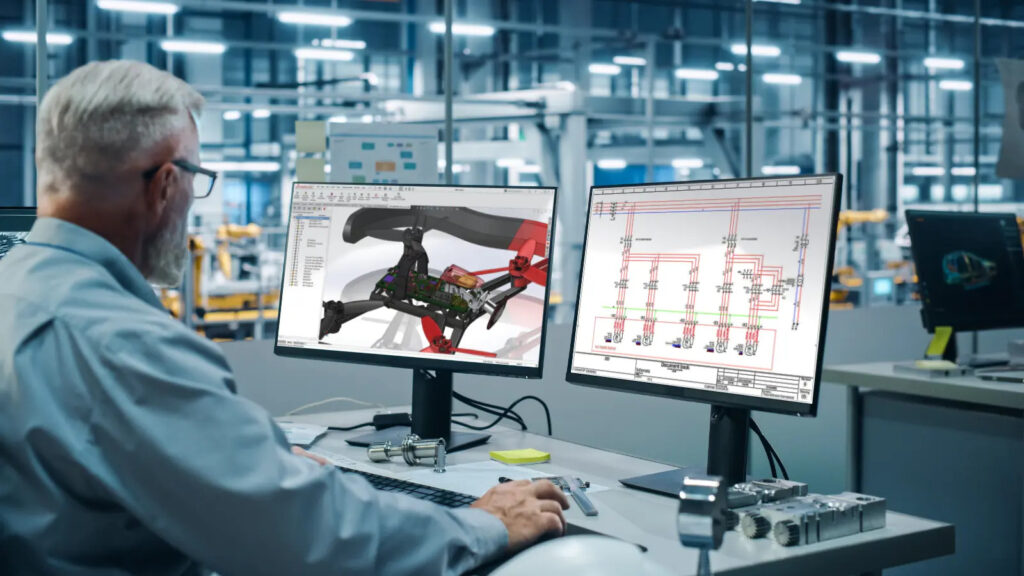
Core Functionalities
Intuitive, Robust Interface
Enables multiple users to work simultaneously with real-time collaboration and controlled project consistency.
Standards Symbol Libraries
Includes compliant symbol libraries (ANSI, IEC, JIS, GB) and templates meeting international electrical design standards.
Collaboration & Data Sharing
Access over 500,000 manufacturer parts with accurate technical data for faster component selection.
Error-Free Design with Design Rule Checks (DRC)
Automatically detects wiring errors, numbering conflicts, and inconsistencies before production release.
Automatic Terminal & PLC Drawing Generation
Creates terminal strip layouts and PLC drawings directly from schematic designs.
Seamless 2D & 3D Integration
Synchronizes electrical schematics with 3D mechanical assemblies for coordinated electro-mechanical design.
Automated Wire & Harness Routing
Generates accurate 3D wire, cable, and harness routing within assemblies.
Automatic BOM/BOQ & Report Generation
Produces customized BOM and BOQ reports automatically, aligned with design revisions.
Features
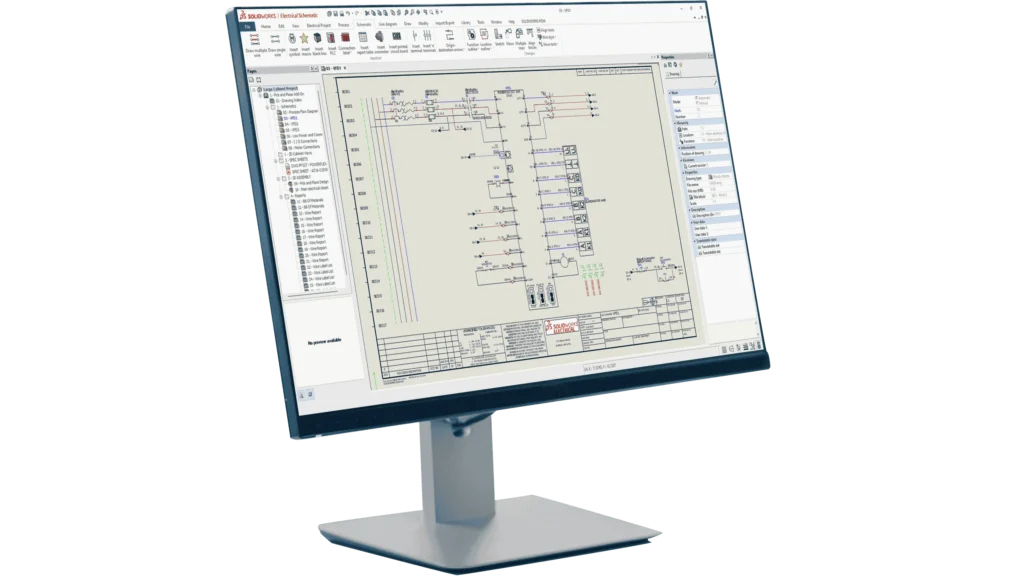
Intelligent 2D Electrical Schematic Design with Automated Documentation & Standard Libraries
- Intuitive and integrated electrical schematic design module for panels, equipment and embedded electrical systems.
- Built-in electrical symbols, standard manufacturer parts, specifications and footprints to optimize design reuse.
- Automated design and management tools streamline PLC, terminal block, cross-reference and BOM documentation.
- Helps simplify complex and tedious electrical design processes for faster project completion.
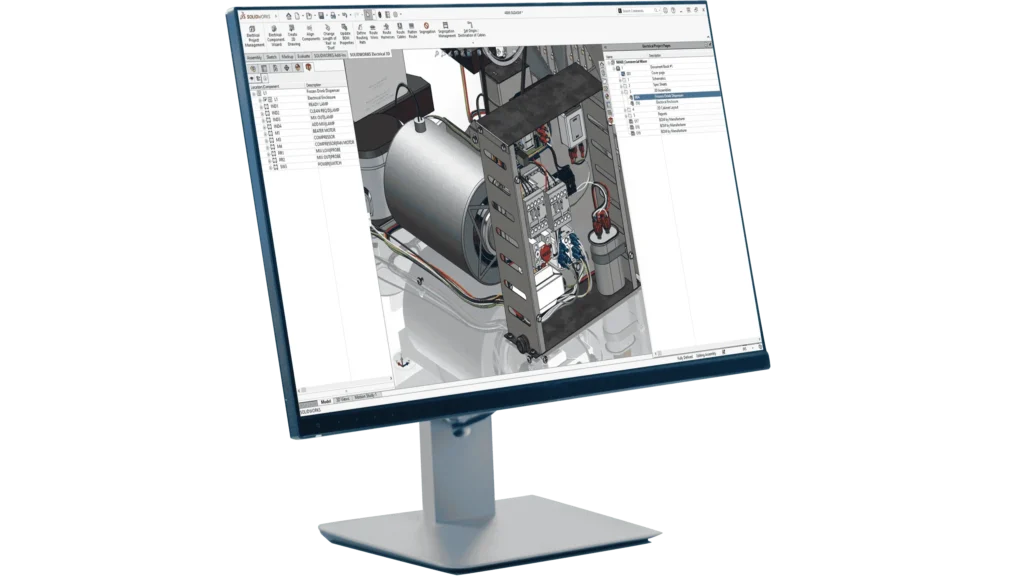
Real-Time 2D–3D Electrical Integration with Advanced Routing & Design Synchronization
- Bi-directional, real-time integration between 2D schematics and SOLIDWORKS 3D CAD parts/assemblies.
- 3D visualization to mount electrical components accurately using mate references.
- Advanced routing algorithm determines shortest paths for wires, cables and harnesses automatically.
- Maintains synchronization between electrical and mechanical designs.
- Requires SOLIDWORKS mechanical CAD license of the same version.
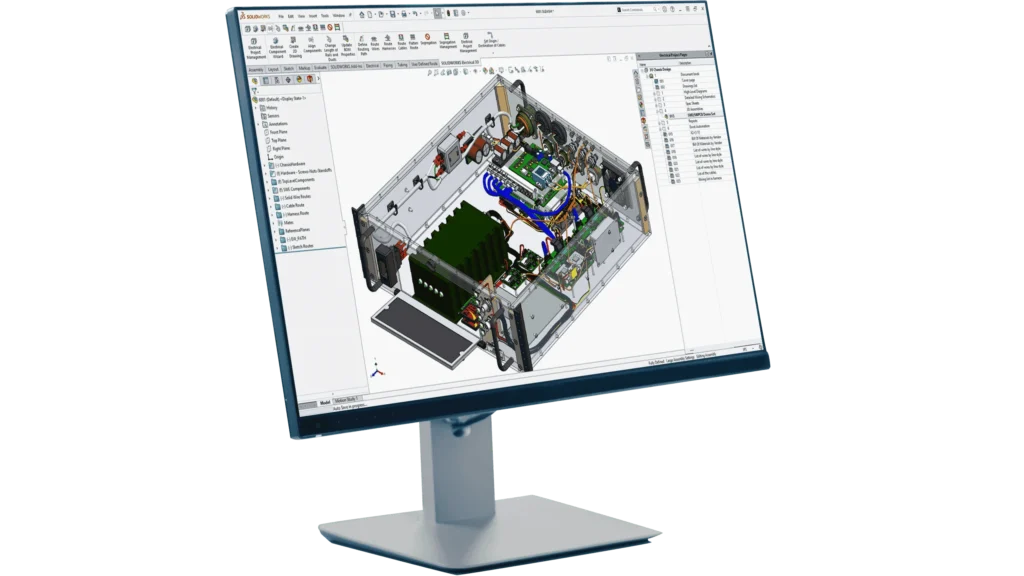
Complete Electro-Mechanical Design Solution Combining Schematic & 3D Integration
- Combines Schematic Professional (2D) and Electrical 3D functionalities in one integrated package.
- Suitable for users working on both electrical and mechanical design integration.
- Requires SOLIDWORKS mechanical CAD license of the same version to run the software.
| Features |
|---|
|
SOLIDWORKS 3D CAD |
|
Part and Assembly Modelling |
|
Design Reuse and Automation |
|
Interference Check |
|
Collaborate and Share CAD Data |
|
Advanced CAD File Import/Export – 3D Interconnect |
|
First Pass Analysis Tools – Simulation Xpress |
|
Productivity Tools |
|
SOLIDWORKS CAM Standard* |
|
Design for Manufacturing |
|
Xtended Reality (XR) Exporter |
|
SOLIDWORKS Visualize Standard* |
|
CAD Libraries (SOLIDWORKS Toolbox) |
|
Design for Cost & Estimation (SOLIDWORKS Costing) |
|
ECAD/MCAD Collaboration (CircuitWorks™) |
|
CAD Standards Checking |
|
Automated Tolerance Stack-Up Analysis (TolAnalyst) |
|
SOLIDWORKS File Management |
|
Reverse Engineering (ScanTo3D) |
|
eDrawings® Professional |
|
Time – Based Motion Analysis |
|
Linear Static Analysis for Part and Assemblies |
|
Routing of Pipes and Tubes |
|
Routing of Rectangular and Other Sections |
|
Advanced Surface Flattening |
|
Assembly Level Cost Roll Up |
|
Electrical Routing |
| Standard |
|---|
|
|
|
|
|
|
|
|
|
|
|
|
|
|
|
|
|
|
|
|
|
|
|
|
|
|
|
|
|
|
|
|
|
|
|
|
|
|
|
|
|
|
|
|
|
|
|
|
|
|
|
|
|
|
| Professional |
|---|
|
|
|
|
|
|
|
|
|
|
|
|
|
|
|
|
|
|
|
|
|
|
|
|
|
|
|
|
|
|
|
|
|
|
|
|
|
|
|
|
|
|
|
|
|
|
|
|
|
|
|
|
|
|
| Premium |
|---|
|
|
|
|
|
|
|
|
|
|
|
|
|
|
|
|
|
|
|
|
|
|
|
|
|
|
|
|
|
|
|
|
|
|
|
|
|
|
|
|
|
|
|
|
|
|
|
|
|
|
|
|
|
|
Choosing the right SOLIDWORKS package depends on your design needs, team size, and project complexity.
From Standard to Premium, we help you identify the ideal solution that maximizes performance while staying within budget.
-
Want to buy
SOLIDWORKS Electrical?
Services & Training
We help you solve engineering challenges, together.
Whether you’re looking to outsource expertise or upskill your team, we work as a seamless extension of your organization to deliver measurable results.
Engineering Services
We help turn complex ideas into manufacturable products through robust design, analysis, and engineering support—focused on accuracy, efficiency, and real-world performance.
SOLIDWORKS Training
Develop practical SOLIDWORKS skills with flexible training programs designed for engineers, designers, and teams—covering essentials through advanced workflows.
FAQ
A unique ID number is assigned to each venture in SOLIDWORKS Electrical, and each project has a linked database that can be found using the unique ID number ” Each project should have its own database because doing so drastically cuts down on processing time.
If you need to create a 2D design drawing. SOLIDWORKS is much better for creating 3D parts and products thanks to the functions that let you see different angles, render the design, and run simulations.SOLIDWORKS Electrical makes the process of designing electrical systems simpler.
You can import DWG files into SOLIDWORKS Electrical. If the file contains symbols or title blocks, the wizard allows you to establish a correspondence with SOLIDWORKS Electrical symbols or title blocks. The import wizard opens and will guide you through the procedure.
To print all documents within a SOLIDWORKS Electrical Schematic project, open the project then use the ribbon toolbar to go to Project > Print (or right-click the project in the side panel and click Print)
The FeatureWorks software in SOLIDWORKS recognizes features on an imported solid body in a SOLIDWORKS part document. Recognized features are the same as features that you create using the SOLIDWORKS software. You can edit the definition of recognized features to change their parameters. For features that are based on sketches, after you recognize the features, you can edit the sketches from the SOLIDWORKS FeatureManager design tree to change the geometry of the features. However, it should be noted that not all features are recognized by Feature Works. Some geometry may not be recognized due to complexity.