

Introduction
In 3DEXPERIENCE Works, design and detailing workflows are streamlined through powerful web-based applications. While xShape and xDesign enable 3D part and assembly creation, xDrawing plays a critical role in accelerating drawing release by supporting 2D drawings and Model-Based Definition (MBD) in a single environment.
What is xDrawing?
xDrawing is a 2D Drawing and MBD application that helps define, organize, and communicate manufacturing information directly from 3D models using annotations.
Manufacturing Definition Creator Role
The Manufacturing Definition Creator role enables users to detail product information by combining 2D drawings and MBD functionalities within xDrawing.
Key capabilities:
Create and manage 3D model geometry information
Add annotations for tolerances, datums, and machining details
Generate detailed 2D drawings with dimensions
Note: Only the 3DXML file format is supported.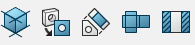
Creating Model-Based Definitions (MBD)
Import or Open 3DXML File
Open the 3DXML file directly from 3D Space in xDrawing.Create Drawing Views
Use the View Creation tools to generate required views: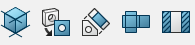
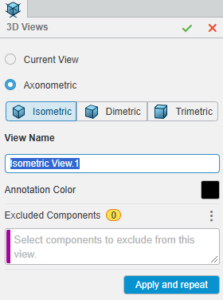
3D Views
Isometric
Dimetric
Trimetric
2D Views
Front, Rear
Top, Bottom
Right, Left
Special Views
Auxiliary View (using inclined faces)
Flatten View (Sheet Metal only)
Section View (internal structure using planes)
2. Add Views to Model Definition Manager
Select the required views and add them for detailing.
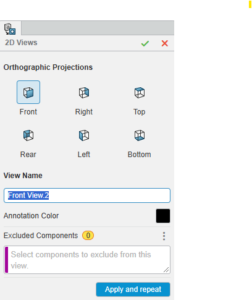
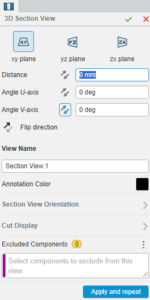
Adding Annotations
Annotations are created directly on specific views using tools from the Annotation tab.

You can add:
Dimensions
Geometric tolerances
Datums
Manufacturing notes
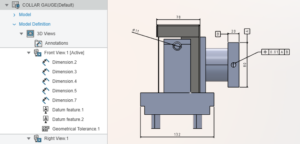 Front View
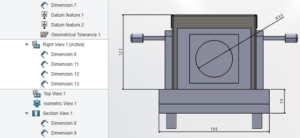 Right View
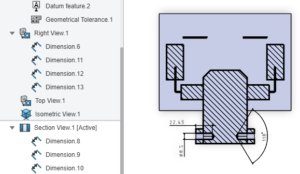 Section view
Once completed, all annotation data can be copied directly into the drawing sheet.
Creating 2D Drawings
Open Drawings Environment or use Create Sheet
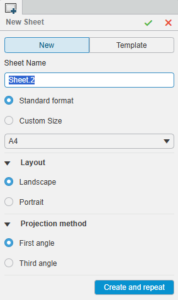
Define:
Sheet name
Sheet format
Layout
Projection angle
Default model attributes automatically link to the sheet
Drag and drop annotated views from 3D Views into the drawing sheet
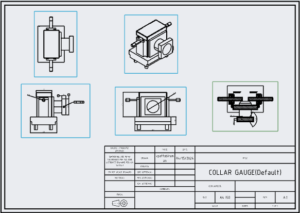
All annotations remain associative and update automatically.
Adding BOM Table and Ballooning
A Bill of Materials (BOM) is essential for manufacturing.
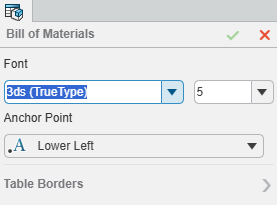
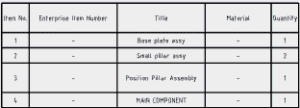
Steps to add BOM:
Go to Annotations > BOM Table
Choose from:
BOM Table
General Table
Cut List
Bend Table
Customize columns based on manufacturing requirements
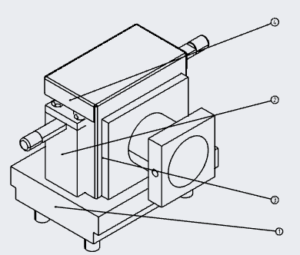
After creating the BOM, use Auto Ballooning to add balloons to drawing views for easy part identification.
Generating Output
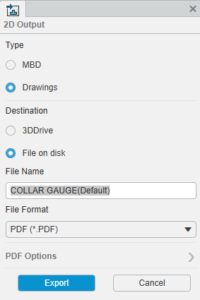
Once the 2D drawing is complete:
Save the file
Release 3D and 2D data using Tools > 2D Output
Supported formats:
3D Views: PDF
2D Views: PDF, DWG, DXF

Conclusion
xDrawings in 3DEXPERIENCE Works enables faster and more reliable drawing release by combining 3D annotations, Model-Based Definition, and associative 2D drawings in a single environment. By using xDrawing with the Manufacturing Definition Creator role, teams can create accurate views, apply critical annotations, generate BOMs, and publish manufacturing-ready outputs with minimal effort. This integrated approach reduces manual rework, improves data consistency, and ensures a smooth transition from design to manufacturing.