

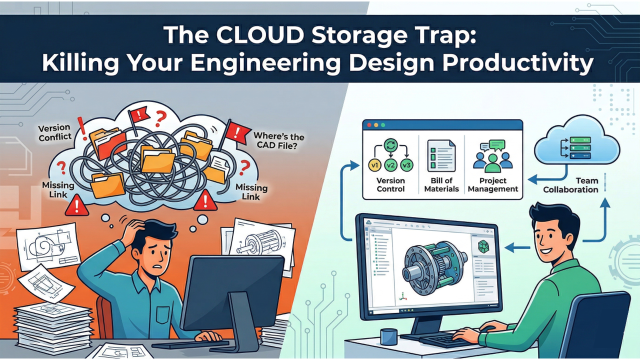
The CLOUD - Storage only Trap: Killing Your Engineering Design Productivity
Introduction
In modern product development, engineering data management vs cloud storage is a critical discussion. However, when combined with capabilities such as product data management and lifecycle management, it becomes a gateway to next-generation digitalization.
Here is the difference between “Cloud Storage” and “Engineering Data Management,” and why treating them as the same thing is a recipe for disaster.
The Cloud Storage Trap in Engineering Design
In engineering, the cloud becomes a trap when it is used only for file storage. While it works well as a digital filing cabinet, it lacks the intelligence required to manage complex CAD relationships, revisions, and workflows.
Generic Cloud Systems Are CAD Blind
This is the dealbreaker. A generic cloud views every file in your folder as an island. It sees Bracket.sldprt and Assembly.sldasm as two totally separate, unrelated files.
It doesn’t understand the “parent-child” relationship.
The Scenario: You decide to do some housekeeping and move a few part files into a subfolder called “Old Designs.” The Result: When you open the main Assembly file, it crashes or gives you an error. Why? Because you broke the path. OneDrive didn’t tell the Assembly where the parts went.
PDM systems like 3DEXPERIENCE Enovia are “CAD Intelligent” when combined with powerful tools like SOLIDWORKS. You can rename files, move them, or completely reorganize your folder structure, and the system automatically updates the references in the background. The links never break.
The “Conflicted Copy” Problem
If you have ever worked on a team using Dropbox or OneDrive, you know this pain.
Two engineers open the same assembly at 9:00 AM. Engineer A makes changes to the base. Engineer B makes changes to the mounting holes. They both hit save at 10:00 AM.
Who wins?
A generic cloud doesn’t know how to merge 3D geometry. So, it saves both and appends (Conflicted Copy) to the filename. Now you have two versions of the truth. You have to manually open both, figure out what changed, and rebuild the model. It’s a waste of time and a massive risk for errors.
PDM solves this with Check-in / Check-out. When Engineer A checks out a file, it becomes “Read Only” for everyone else. They can look, but they can’t touch. No overwrites. No lost work.
Versioning vs. Revisions (They aren't the same)
Google Drive has “Version History.” You can roll back to a file from yesterday. That’s great for recovering a deleted paragraph in a Word doc.
But Engineering requires Revision Control. You need to be able to say, “This is Revision A. This is what we sent to the manufacturer. It is locked. Nobody can change it.”
A generic cloud is linear. It just saves v1, v2, v3… v100. It doesn’t know which version was sent to the shop floor. PDM allows you to stamp a specific state as “RELEASED,” ensuring that manufacturing never accidentally builds the “Work in Progress” version.
Searching for Attributes, not just Names
In A generic cloud, if you want to find a specific motor, you better know what you named the file. If you named it MTR-200-X, good luck finding it by searching for “5HP Motor.”
PDM uses Metadata cards. Every part has data attached to it—Material, Vendor, Cost, Weight, Designer Name. You can run a search like: “Show me all parts made of Aluminium 6061 that cost less than $50 and were approved by Dave.”
You don’t need the filename; you just need the criteria.
"If you think PDM is expensive, try manufacturing the wrong revision."
A generic cloud like Dropbox, OneDrive, Google Drive, etc., is only a digital filing cabinet. It’s great for storing finished PDFs. PDM is an operating system for engineering. It understands how your product is built on CAD like SOLIDWORKS and the platforms like 3DEXPERIENCE SOLIDWORKS can be tailored for your needs and applications.
The CLOUD is no more a Trap when it is beyond storage. Contact us to know more!

