EGS INDIA

+91 9445431704

info@egs.co.in

Authorized SOLIDWORKS RESELLER in Chennai, Coimbatore, Trichy

EGS INDIA

+91 9445424704

info@egs.co.in

Authorized SOLIDWORKS RESELLER in Chennai, Coimbatore, Trichy

EGS INDIA

+91 9445424704

info@egs.co.in

Authorized SOLIDWORKS RESELLER in Chennai, Coimbatore, Trichy

5 Time-Saving SOLIDWORKS Electrical Features

SOLIDWORKS Electrical Features can save significant time when designing control panel schematics by reducing manual tagging, numbering, and list-making.

Ever finished drawing a control panel schematic, only to face days of tagging, numbering, and list-making still ahead of you?

SOLIDWORKS Electrical 2D takes over much of that routine work, so you can spend your time on the design itself.

Here are five features that give you that time back:

  • Integrated Component Database
  • Automatic Cross-Referencing
  • Automatic Wire Numbering and Wire Styles
  • Auto-Generated Reports
  • Macros and Reusable Circuits

SOLIDWORKS Electrical Features:

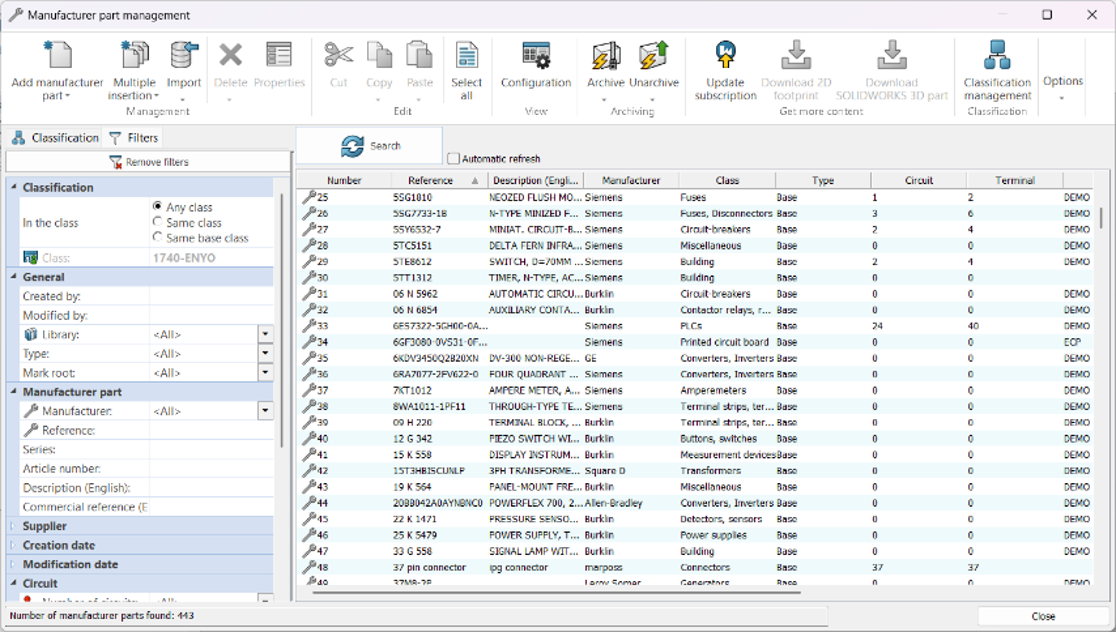
1. Enter data Once with the Integrated Component Database

  • Choose real manufacturer parts from a built-in library instead of drawing generic symbols.
  • Each part carries its part number, ratings, and dimensions, so nothing has to be typed into a separate spreadsheet.
  • The same data appears in the schematic, the bill of materials, and the panel layout, so all three always agree.
  • Your own company-standard components can be added to the database and reused on every project.
SOLIDWORKS Electrical features

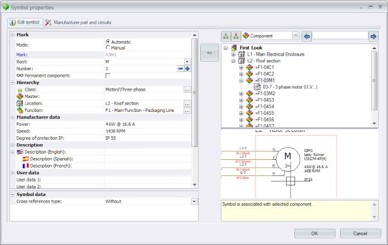
2. Follow Every Circuit Across Pages: Automatic Cross-Referencing

  • When a coil and its contacts sit on different pages, the software links them for you.
  • Each symbol displays the page and position of its related parts, so nobody has to flip through drawings to find them.
  • Move or delete a component and the references update on their own, which removes a common source of revision errors.
  • Maintenance teams can trace a signal through the whole project in seconds.
solidworks electrical

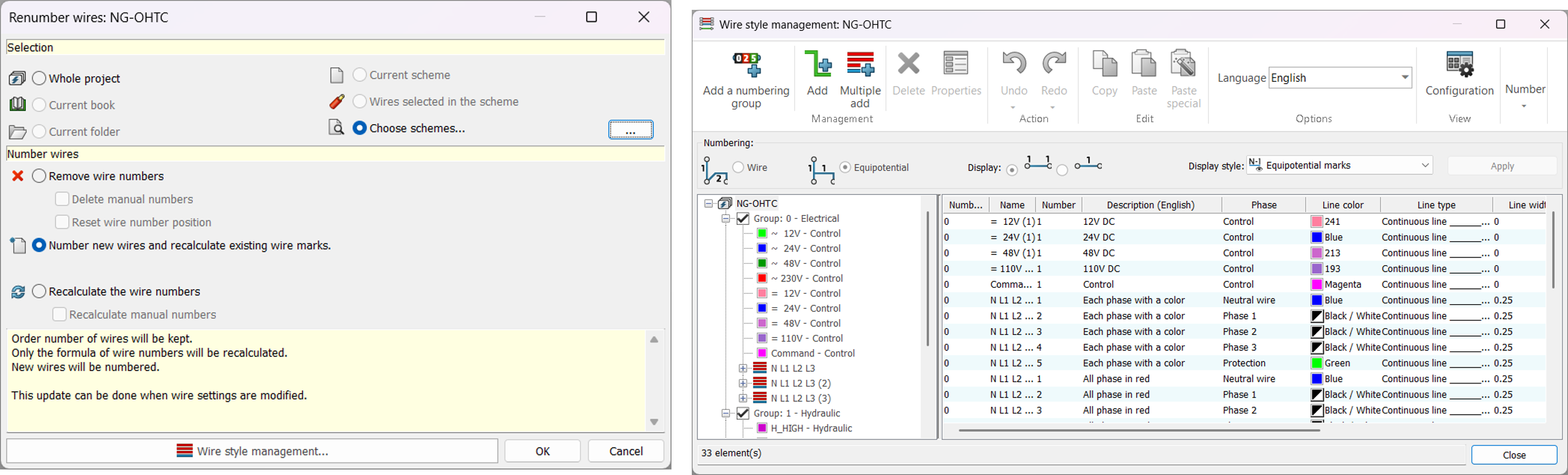
3. Numbering Without the Counting: Automatic Wire Numbering and Wire Styles

  •  Define a numbering rule once, such as by sheet, by potential, or in sequence, and apply it to the entire project or to selected pages.
  • Wires on the same electrical net automatically share the same number.
  • Wire styles set the gauge, color, and type together, so every wire follows your standard.
  • When the circuit changes, run the numbering again and the drawing matches the physical wire labels.
Automatic Wire Numbering and Wire Styles

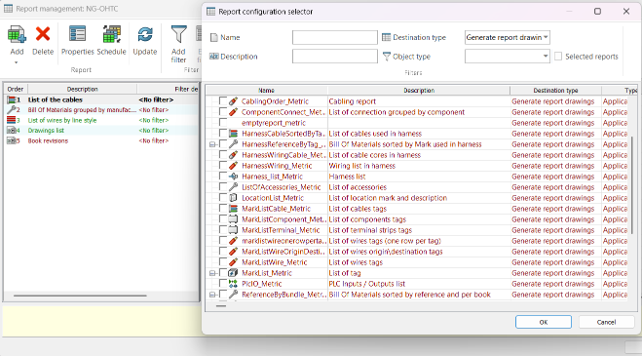
4. Lists That Write Themselves: Auto-Generated Reports

  • Produce the bill of materials, wire list, cable list, terminal plan, and connection table straight from the project data.
  • Because the reports read from the design, a change on the drawing shows up in the next report you run.
  • Templates control the layout, and you can pick the columns and information each report should contain.
  • Insert a report as a page in the project, or export it for use outside the software.
Auto-Generated Reports
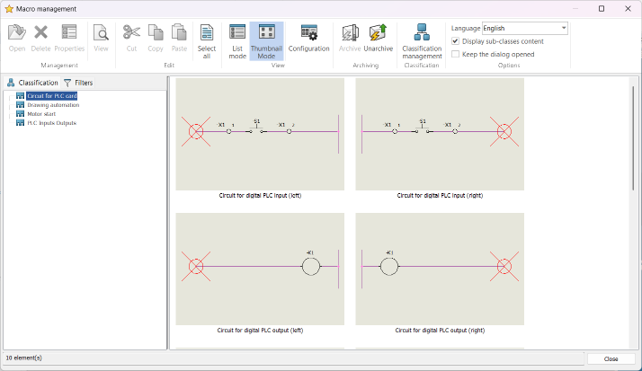
5. Reuse What Already Works: Macros and Reusable Circuits

Save a proven circuit, such as a motor starter, an emergency-stop chain, or a power supply section, as a macro.

  • Insert it into a new project with its components, connections, and properties already in place.
  • The whole team builds from the same approved circuits, which keeps designs consistent.
  • You only adjust what is different, instead of copying old drawings and cleaning up tags by hand.
Macros and Reusable Circuits

If your team keeps redrawing the same circuits and rebuilding the same lists, these five features are a good place to begin. Try them on your next project and see how many hours you get back.


 ***Thank You***

anantha narayanan

Author:

Anantha Narayanan is an Application Engineer with experience in electrical and electromagnetic simulations, specializing in tools like SOLIDWORKS Electrical and CST Studio Suite. Passionate about engineering innovation and simulation technologies, he enjoys exploring new solutions and sharing insights on electrical design, electromagnetic analysis, and professional growth.

Scroll to Top