

DriveWorks
Overview
DriveWorks – Advanced Design Automation & Product Configuration Solution with Automated CAD, Quotations & Manufacturing Documentation
DriveWorks is a powerful design automation and product configuration solution that integrates with SOLIDWORKS to help manufacturers automate repetitive engineering tasks and streamline the creation of customized products.
Companies that produce configurable or made-to-order products often spend significant time modifying CAD models, drawings, and documentation. DriveWorks eliminates this repetitive work by allowing engineers to capture design rules and automate the generation of parts, assemblies, drawings, and manufacturing documents.
With DriveWorks, sales teams, engineers, and even customers can configure products through intuitive forms or web-based interfaces. Based on the selected parameters, the system automatically generates the required CAD models, quotations, bills of materials, and documentation.
By implementing DriveWorks, organizations can significantly reduce design time, minimize errors, improve efficiency, and accelerate the overall sales-to-manufacturing process.
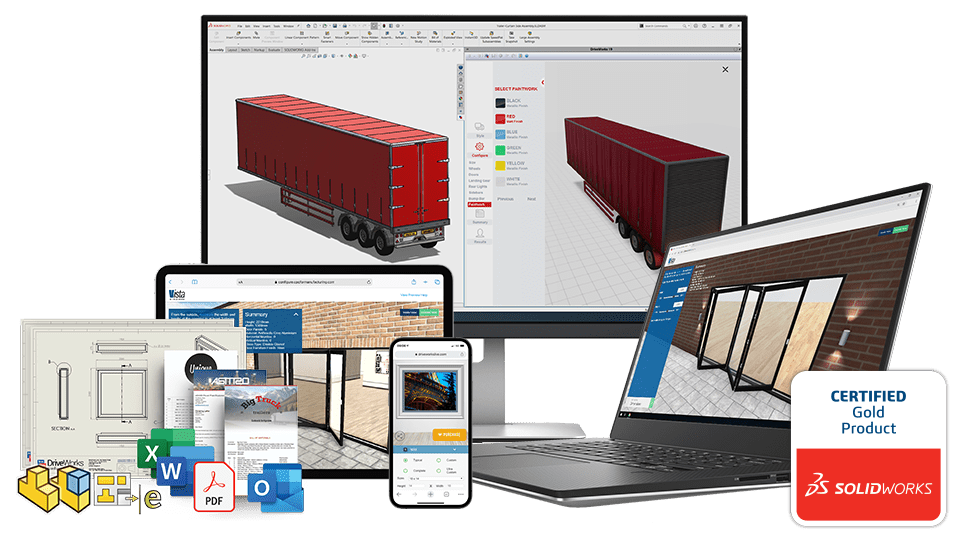
Core Functionalities
Design Automation
DriveWorks automates the creation of SOLIDWORKS parts, assemblies, and drawings based on predefined rules and configuration inputs.
Rule-Driven Product Configuration
Engineers can establish rules to control dimensions, features, materials, and available options—ensuring that only accurate and valid product configurations are generated.
Automated Document Generation
The system can automatically generate important documents such as:
• Manufacturing drawings
• Bills of Materials (BOM)
• Quotations and proposals
• Sales and production reports
Product Configurator
DriveWorks provides configurable input forms that allow users to select product parameters. These forms guide users through the configuration process and ensure correct product specifications.
Web-Based Configuration
Advanced modules allow companies to deploy product configurators on the web so that internal teams, distributors, or customers can configure products through a browser.
Integration with Business Systems
DriveWorks can integrate with external systems such as ERP, CRM, and databases to streamline the flow of information between departments.
Benefits
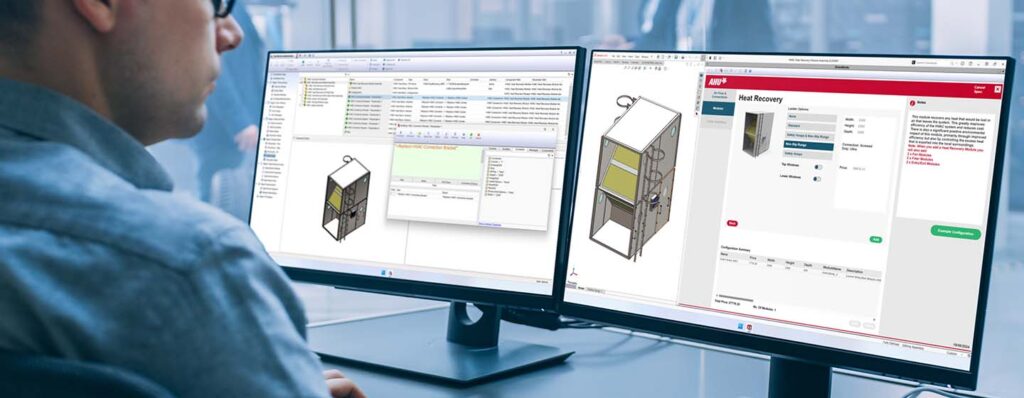
DriveWorks Xpress – Benefits
- Free with SOLIDWORKS
- Automates simple part, assembly, and drawing variations
- Reduces repetitive design work
- Easy to learn and implement
- Upgradeable to advanced versions later
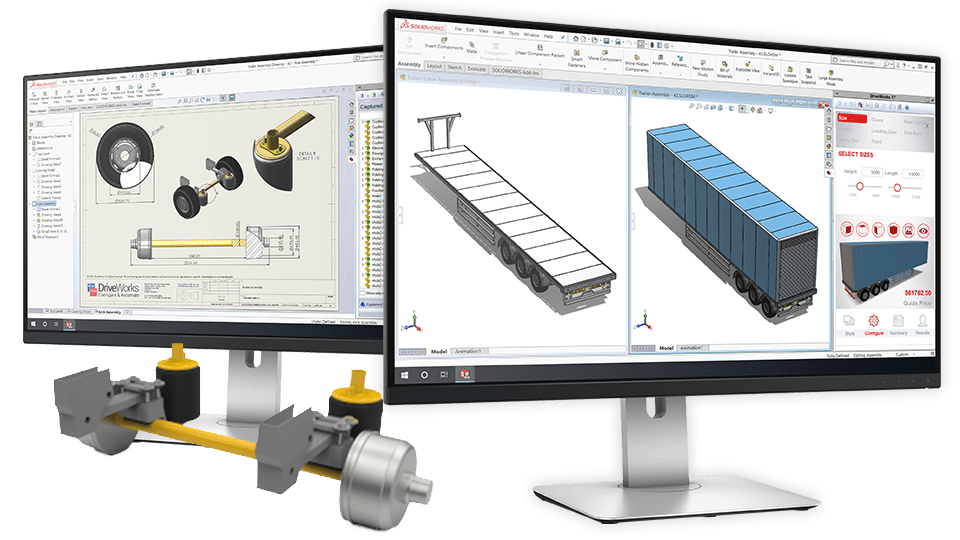
DriveWorks Solo – Benefits
- Advanced design automation for complex models
- Powerful rule-based configuration
- Automated generation of drawings, BOMs, and documents
- Customizable input forms for product configuration
- Improves engineering productivity
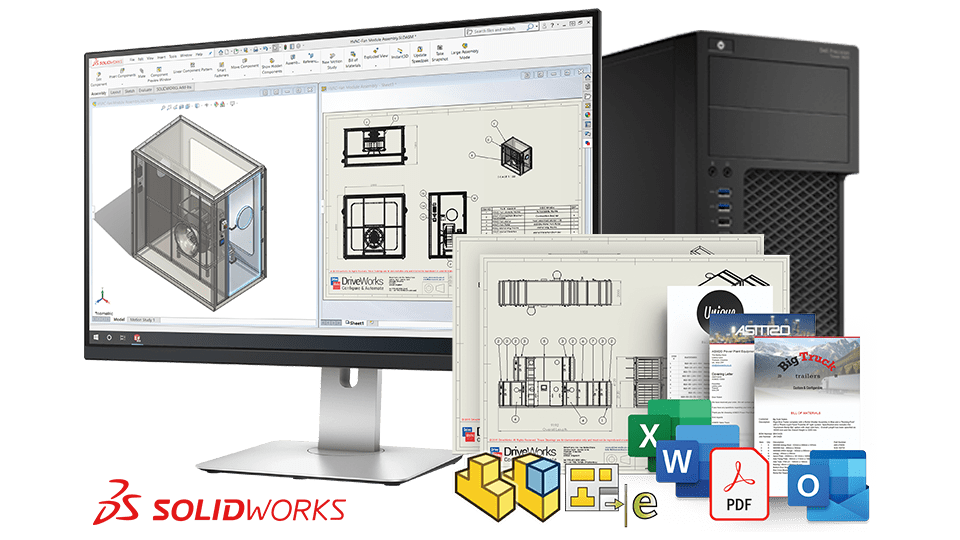
DriveWorks Pro – Benefits
- Enterprise-level design automation platform
- Web-based product configurator for sales and customers
- Integration with ERP, CRM, and databases
- Automated workflows and batch processing
- Supports Configure-Price-Quote (CPQ) processes
| Features |
|---|
|
Availability |
|
Target Users |
|
Design Automation |
|
Control SOLIDWORKS Dimensions & Features |
|
Control Materials, Colors & Textures |
|
Assembly Component Replacement |
|
Advanced Feature Control (Sheet Metal, Weldments, Hole Wizard) |
|
Form Designer |
|
Document Generation (BOM, quotes, reports) |
|
Data Storage |
|
Multi-Project Management |
|
Workflow Automation |
|
Batch Processing |
|
Web-Based Product Configurator |
|
ERP / CRM Integration |
|
CPQ (Configure-Price-Quote) |
|
Access for Sales / Customers |
|
Best Use Case |
| DriveWorks Xpress |
|---|
|
Free with SOLIDWORKS |
|
Individual designers |
|
Basic automation |
|
|
|
|
|
Limited |
|
|
|
Basic input forms |
|
ContentLimited |
|
Local files |
|
|
|
|
|
|
|
|
|
|
|
|
|
|
|
Basic design automation inside SOLIDWORKS |
| DriveWorks Solo |
|---|
|
Paid add-in |
|
Engineers / small teams |
|
Advanced automation |
|
|
|
|
|
|
|
|
|
Advanced customizable forms |
|
|
|
SQLite database |
|
Limited |
|
|
|
|
|
|
|
|
|
|
|
|
|
Advanced engineering automation |
| DriveWorks Pro |
|---|
|
Enterprise solution (multiple modules) |
|
Enterprise teams (engineering + sales) |
|
Full automation across departments |
|
|
|
|
|
|
|
|
|
Advanced forms + web forms |
|
|
|
SQL database |
|
|
|
|
|
|
|
|
|
|
|
|
|
|
|
Full product configurator & sales automation |
| Features | DriveWorks Xpress | DriveWorks Solo | DriveWorks Pro |
|---|---|---|---|
|
Availability |
Free with SOLIDWORKS |
Paid add-in |
Enterprise solution (multiple modules) |
|
Target Users |
Individual designers |
Engineers/ Small teams |
Enterprise teams (engineering + sales) |
|
Design Automation |
Basic automation |
Advanced automation |
Full automation across departments |
|
Control SOLIDWORKS Dimensions & Features |
|
|
|
|
Control Materials, Colors & Textures |
|
|
|
|
Assembly Component Replacement |
Limited |
|
|
|
Advanced Feature Control (Sheet Metal, Weldments, Hole Wizard) |
|
|
|
|
Form Designer |
Basic input forms |
Advanced customizable forms |
Advanced forms + web forms |
|
Document Generation (BOM, quotes, reports) |
Content Limited |
|
|
|
Data Storage |
Local files |
SQLite database |
SQL database |
|
Multi-Project Management |
|
Limited |
|
|
Workflow Automation |
|
|
|
|
Batch Processing |
|
|
|
|
Web-Based Product Configurator |
|
|
|
|
ERP / CRM Integration |
|
|
|
|
CPQ (Configure-Price-Quote) |
|
|
|
|
CPQ (Configure-Price-Quote) |
|
|
|
|
Access for Sales / Customers |
|
|
|
|
Best Use Case |
Basic design automation inside SOLIDWORKS |
Advanced engineering automation |
Full product configurator & sales automation |
Choosing the right SOLIDWORKS package depends on your design needs, team size, and project complexity.
From Standard to Premium, we help you identify the ideal solution that maximizes performance while staying within budget.
- Want to buy DriveWorks?
Services & Training
We help you solve engineering challenges, together.
Whether you’re looking to outsource expertise or upskill your team, we work as a seamless extension of your organization to deliver measurable results.
Engineering Services
We help turn complex ideas into manufacturable products through robust design, analysis, and engineering support—focused on accuracy, efficiency, and real-world performance.
SOLIDWORKS Training
Develop practical SOLIDWORKS skills with flexible training programs designed for engineers, designers, and teams—covering essentials through advanced workflows.

