
SOLIDWORKS AI Assembly Instructions: Generate Them Automatically
Assembly documentation has always been one of the most time-consuming, repetitive parts of the design-to-manufacturing handoff. With the latest updates to SOLIDWORKS AI, that work can now be generated automatically, directly inside SOLIDWORKS. This blog is structured to clearly explain:
- What SOLIDWORKS AI is
- Why businesses need AI-generated assembly instructions
- Who can benefit from it
- How SOLIDWORKS AI creates assembly instructions, step by step
- How to get started
By the end, you’ll understand how SOLIDWORKS AI turns hours of manual documentation work into a task that takes minutes.
What Is SOLIDWORKS AI?
SOLIDWORKS AI is powered by LEO Mechanical Design, an AI assistant purpose-built for engineers and embedded directly inside the SOLIDWORKS interface. Rather than switching tools or documenting manually, engineers can simply describe what they need in plain language, and LEO carries out the task inside the active model or assembly.
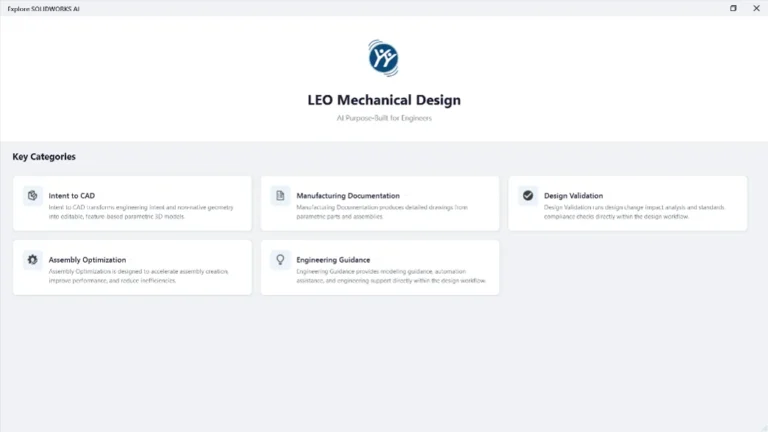
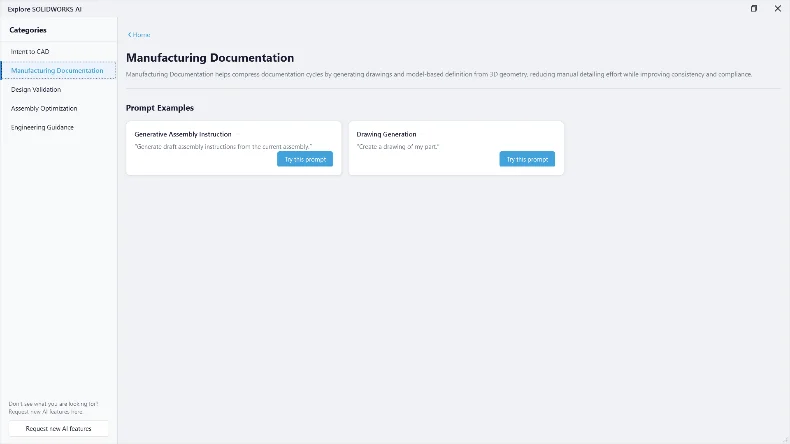
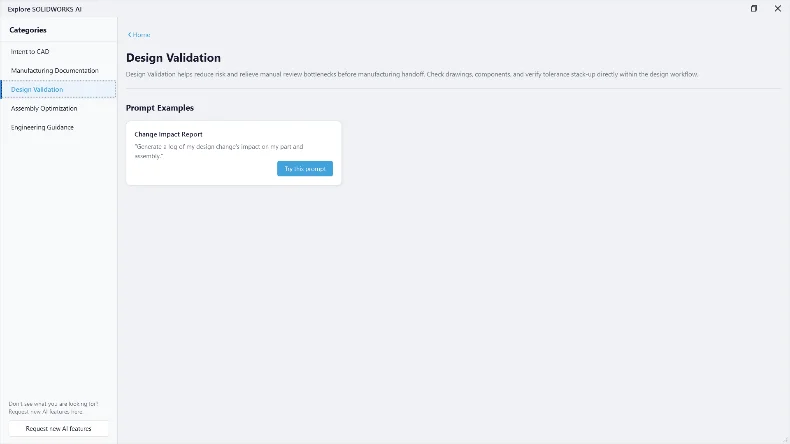
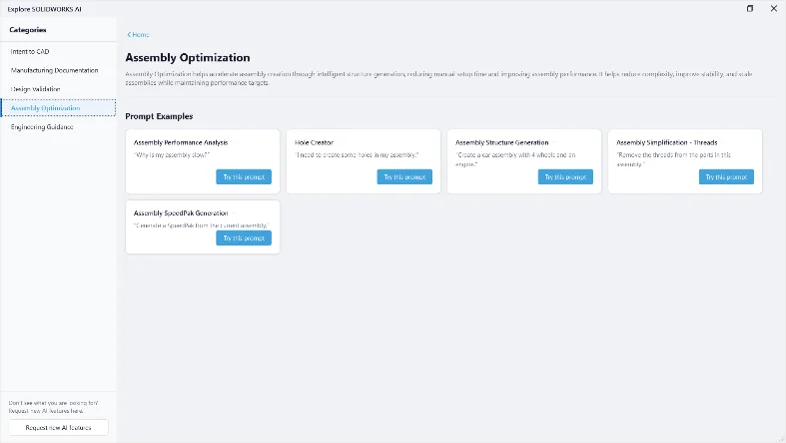
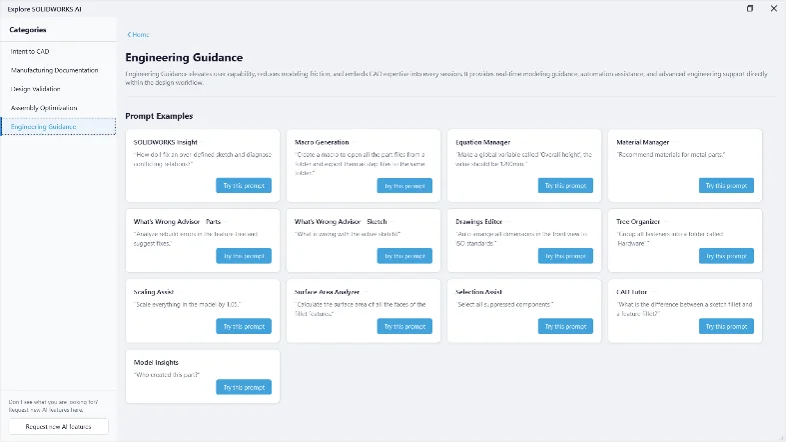
LEO organizes its capabilities into five key categories: Intent to CAD, Manufacturing Documentation, Design Validation, Assembly Optimization, and Engineering Guidance. Together, these cover the full range of everyday CAD tasks, from converting geometry into parametric features to generating drawings, validating designs, optimizing assemblies, and answering modeling questions in real time.
Why Do Businesses Need AI-Generated Assembly Instructions?
Manufacturers and engineering teams face growing pressure to document faster without compromising accuracy.
Reduce Documentation Workload
Writing step-by-step assembly instructions manually for every sub-assembly is repetitive and time-consuming. SOLIDWORKS AI generates these instructions directly from the live assembly tree, freeing engineers to focus on design work instead of paperwork.
Eliminate Errors and Rework
Manually written instructions can fall out of sync with the actual model. Because SOLIDWORKS AI reads the assembly structure, mates, and components directly, the generated instructions, parts lists, and step images stay consistent with the real design.
Accelerate Handoff to Manufacturing
Shop-floor teams need clear, accurate build steps. SOLIDWORKS AI produces structured instructions with part images, quantities, and step-by-step visuals in minutes, shortening the time between design completion and production.
Scale Documentation Profitably
As product variants and sub-assemblies multiply, manually documenting each configuration becomes unsustainable. SOLIDWORKS AI scales this effort automatically, regenerating instructions whenever the assembly changes.
Who Is This For?
SOLIDWORKS AI’s assembly instruction generation is ideal for:
- Manufacturers building configurable or custom products
- Engineering teams using SOLIDWORKS for assembly design
- Manufacturing and shop-floor teams that need clear build documentation
- Companies producing fixtures, jigs, and multi-part assemblies
- Businesses looking to connect design, documentation, and manufacturing
Whether you’re documenting a single fixture or a complex multi-station assembly, SOLIDWORKS AI adapts to the scale of the job.
How Does SOLIDWORKS AI Generate Assembly Instructions?
The process runs directly inside the SOLIDWORKS Virtual Companion panel, alongside the active assembly. Here’s how it works:
- Step 1 — Ask LEO: With the assembly open, the user simply types a request such as “Generate draft assembly instructions from the current assembly.”
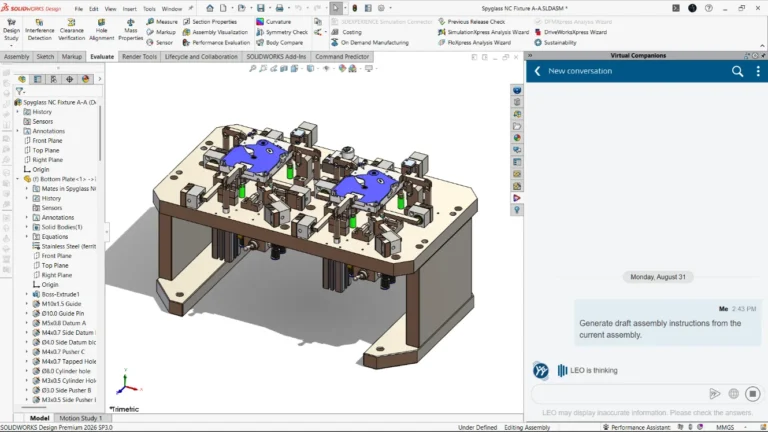
Requesting draft assembly instructions from the current assembly in the LEO chat panel
- Step 2 — LEO reads the assembly structure: LEO analyzes the mates, components, and datum references in the model, then works through each sub-assembly step in sequence, describing how parts are aligned and fastened.
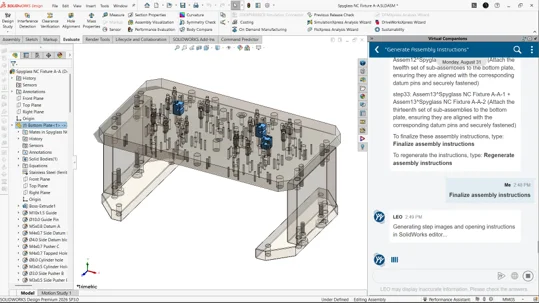
Progressive sub-assembly steps are generated and visually tracked against the model
- Step 3 — Review and finalize: Once every step has been generated, the user can type “Finalize assembly instructions” to lock in the sequence, or “Regenerate assembly instructions” if changes are needed.
- Step 4 — Automatic output: LEO generates step images and opens the finished instructions directly in the SOLIDWORKS editor, complete with a title, date, and step number for every sub-assembly.
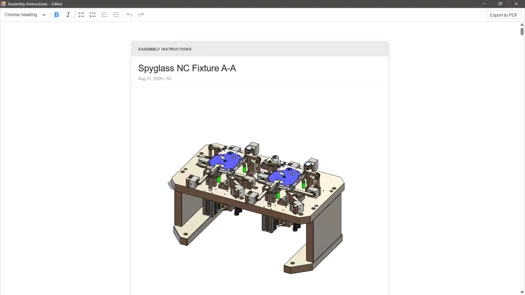
The finished assembly instructions, opened automatically in the Assembly Instructions editor
- Step 5 — Parts list, ready to export: A fully itemized parts list is generated alongside the instructions, with images, part names, item numbers, and quantities for every component — ready to export to PDF.
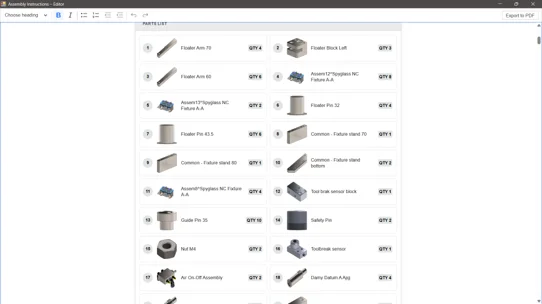
Auto-generated parts list with images, item numbers, and quantities
Unlike traditional documentation workflows that rely on manually inserting screenshots and typing step descriptions, SOLIDWORKS AI captures the same information directly from the model, making the process faster, more accurate, and easy to regenerate whenever the assembly changes.
How Can You Get Started with SOLIDWORKS AI?
Getting started with AI-generated assembly instructions is simple:
- Open your assembly in SOLIDWORKS
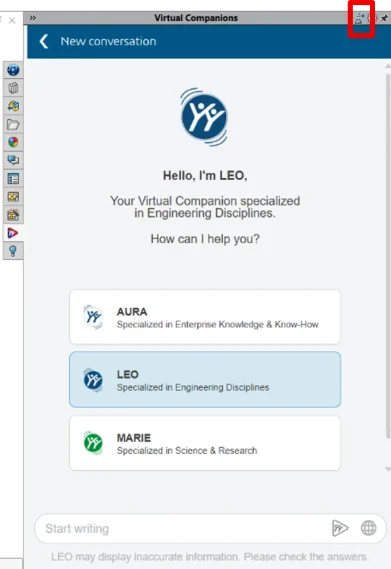
- Open the Virtual Companion panel
- Explore SOLIDWORKS AI tab
Because SOLIDWORKS AI is built into the design workflow, there’s no separate software to install or learn — it works with the assembly you already have open.
More Than Assembly Instructions: What Else SOLIDWORKS AI Can Do
Assembly instruction generation is just one capability inside Manufacturing Documentation. SOLIDWORKS AI also supports:
- Intent to CAD: Convert imported or non-native geometry into editable, feature-based parametric models.
- Design Validation: Run change-impact analysis and standards compliance checks directly within the design workflow.
- Assembly Optimization: Accelerate assembly creation, generate structures, and improve assembly performance.
- Engineering Guidance: Get real-time modelling guidance, macro generation, equation management, and CAD support without leaving SOLIDWORKS.
Conclusion: Turn Documentation into a Business Advantage
SOLIDWORKS AI empowers engineering and manufacturing teams to move beyond manual, error-prone documentation and embrace fast, accurate, and repeatable assembly instructions. By automating this step, businesses reduce handoff time, minimize costly errors, and get products to the shop floor faster.
Want to Learn More?
Whether you’re documenting a single fixture or scaling documentation across complex product lines, SOLIDWORKS AI has the tools to support your workflow.
Contact us today to learn how SOLIDWORKS AI can transform your assembly documentation process and help your business stay ahead of the competition.

Author:
Nandhakumaran Jayaram is an Application Engineer with hands-on experience in CAD and PLM solutions, specializing in tools like SOLIDWORKS and 3DEXPERIENCE. Passionate about engineering innovation and continuous learning, he enjoys sharing insights on technology, design, and professional growth.