
SOLIDWORKS Silhouette Defeature: Protect Your CAD Design IP
Every individual in an R&D team of any sorts knows the exact feeling. It’s that slight, feeling of a fear climbing up right after you hit “Send” on an email to an external vendor, contractor, or overseas manufacturer with a native CAD file attached.
We all tell ourselves it’s fine. We signed an NDA. We have all the legal agreements in place. But in this hyper-competitive world of mechanical design, sending a fully-featured, parametric 3D model is very much equal to handing over our company’s secret sauce, the recipe, and the keys to the kitchen. Every internal cavity, every proprietary draft angle, and every hard-fought design iteration is laid open in the FeatureManager tree for anyone to copy.
For years, the engineering community’s defense against IP (Intellectual Property) theft was archaic. We would spend hours manually deleting internal features, saving files as “dumb” STEP solids, or using the classic trick of filling internal cavities with dummy extrusions. We all are going to agree that the process is tedious!It broke assembly references, and frankly, it was a waste of highly paid engineering hours.
But with the recent advancements in SOLIDWORKS, protecting our IP has shifted from a manual chore to a highly automated, almost weaponized tool.
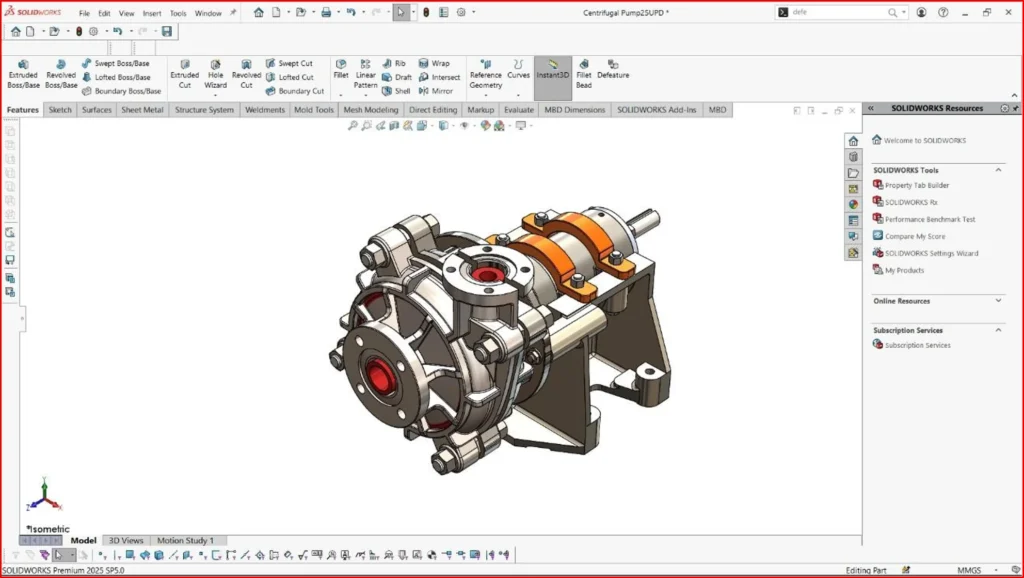
The Anatomy of a CAD Leak
To understand why Silhouette Defeaturing is such a critical & useful tool, we first have to understand how IP leaks happen.
Imagine we are designing a proprietary high-pressure hydraulic pump. We need an external machine shop to quote the manufacturing of the outer casing, and We need a packaging vendor to design a custom shipping crate.
Neither of these vendors needs to know the exact tolerances of our internal impeller blades. They don’t need to see the complex internal fluid routing that our R&D team spent three years perfecting. All the packaging vendor needs is the spatial footprint, and the machine shop only needs the external geometry of the casing.
If we send a standard STEP file, the feature history is removed, but the geometry remains mathematically perfect. A competitor can simply take a cross-section of that STEP file and instantly reverse-engineer our internal fluid dynamics.
We need a way to give external partners exactly what they need to do their jobs—and absolutely nothing more of our design
What is Silhouette Defeaturing?
This tool was Introduced initially for large assemblies to improve load times, now has evolved into the ultimate IP protection mechanism.
Instead of asking us to go into our model and manually delete the features We want to hide, Silhouette Defeature works by looking at our model from the outside in. It essentially throws a digital “shrink-wrap” over our components, replacing highly complex, proprietary geometry with simplified, mathematically basic shapes.
When defining groups to defeature,we can choose exactly how much detail to reveal bySelecting from several simplification methods:
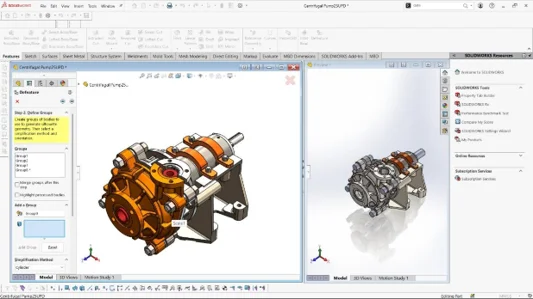
- Bounding Box: The nuclear option. It looks at the extreme X, Y, and Z limits of a component and replaces the entire thing with a solid rectangular block. Perfect for anything where the vendor only needs to know the maximum space it will occupy.
- Cylinder: Ideal for shafts, gears, or rotating assemblies. It finds the maximum diameter and length and replaces the intricate geometry with a smooth, featureless cylinder.
- Polygon Outline: Extrudes a polygonal shape that roughly fits the outline of the selected bodies, providing a bit more visual context without giving away the actual curves and faces.
- Tight Fit Outline: It wraps an extruded body tightly around the external contours of our part while intentionally ignoring, filling in, and obliterating any internal cavities or loops.
The result is a “dumb solid”. It looks like our part on the outside, it occupies the exact same physical space in an assembly, its mass properties can be retained—but its internal secrets are gone forever.
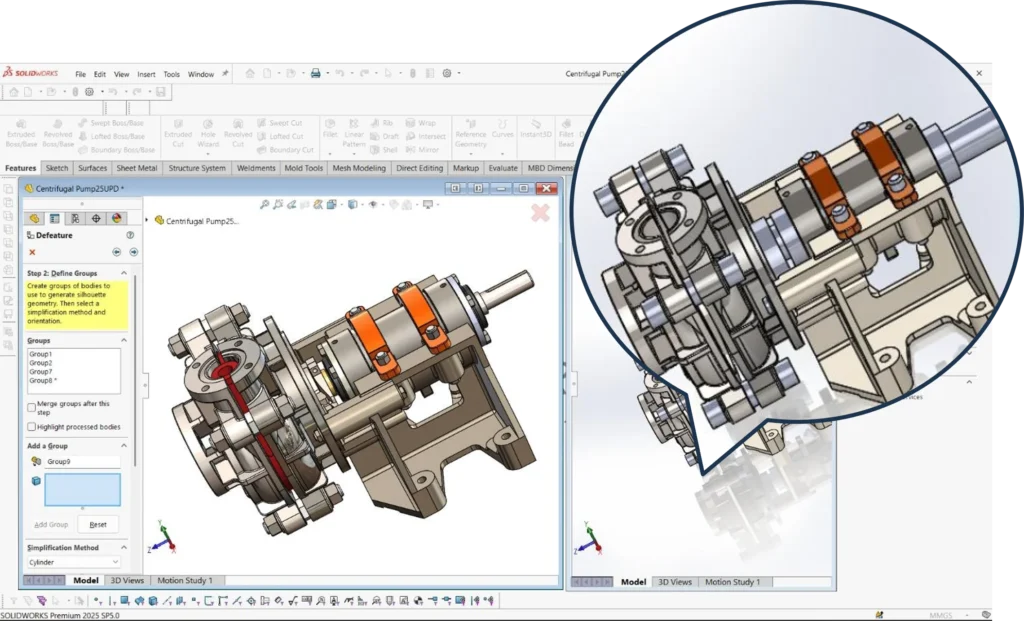
The Paradigm Shift: Taking it to the Part Level
While Silhouette Defeaturing has been around for a few years, SOLIDWORKS with its 2025 brought a massive, highly requested shift: Silhouette Defeature is now available for single and multi-body parts, not just assemblies.
Why is this such a big deal?
Because modern CAD design relies heavily on multi-body part modeling. Consumer electronics, injection-molded enclosures, and complex weldments are often designed as single.SLDPRT files containing dozens of separate solid bodies. Previously, to defeature these, we had to save the multi-body part out as an assembly, defeature the assembly, and then save it back down. It was a messy, circular workflow.
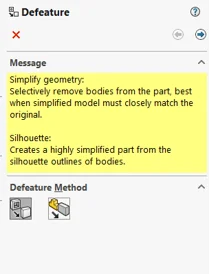
Now we can trigger the Silhouette Defeature tool directly within the part environment.
Furthermore, SOLIDWORKS introduced Defeature Rule Sets. For massive assemblies, we no longer have to click through hundreds of components. We can create intelligent selection criteria—for example, “Find all components where the file name contains ‘Bolt’ and replace them with a cylinder,” or “Find all bodies smaller than 5% of the total part size and remove them entirely”. Click “Apply,” and the software automatically scrubs our IP across the entire model in seconds.
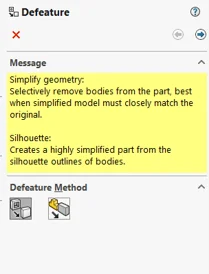
The Vendor Quoting Game: Outputting the Ghost Model
The true power of this tool lies in its output options. Once We have defined our simplification groups, SOLIDWORKS gives us two distinct paths:
- Create a New Configuration: This keeps the defeatured, simplified “ghost” model inside our original file. This is incredibly useful for our internal team to use in massive top-level assemblies to drastically reduce graphics triangle counts and RAM usage, making huge assemblies spin effortlessly on screen.
- Save as a New Document: This is our IP shield. This generates a completely separate, standalone CAD file. There is no link back to our proprietary parametric data. This is the file we attach to the email. This is the file with limited information we send to the vendor.
By saving the defeatured model as a new document, we retain absolute control over our design intent. If the vendor needs to make a modification to accommodate a manufacturing process, they communicate that to us, and we make the change in the master parametric file, generating a new defeatured model to send back.
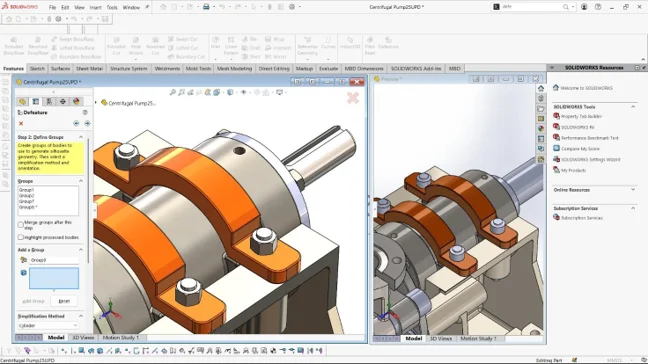
Conclusion: Designing in a competitive environment
We live in a collaborative, globalized manufacturing environment. We have to share CAD data; there is no getting around it. But sharing data does not mean we have to operate by sharing all the information from our side
The enhancements to the Silhouette Defeature tool in SOLIDWORKS represents a shift from reactive design protection to proactive design security. By mastering this tool, we transform from our designers into gatekeepers of our IP.
So, the next time we have to send a model out for a quote, Wedon’t just need to rely on the NDA in our filing cabinet. We can effectivelyuse Silhouette Defeature, send only the necessary information, get our quote, and let our internal IP stay exactly where it belongs: safely inside our own servers.