

3D Sketch in SOLIDWORKS 2026
Overview of 3D sketches in SOLIDWORKS
3D Sketch in SOLIDWORKS:
A 3D sketch in SOLIDWORKS is a powerful and advanced feature to create a 3D curves, lines, and splines in three dimensions space (XYZ) without being constrained to 2D plane. This enables designers to build more flexible and complex geometry that would be difficult or impossible using only 2D sketches.
3D sketches are widely used in industries such as mechanical design, aerospace, automotive, and product development where spatial paths and complex curves are common.
Key features of SOLIDWORKS 3D sketch:
Several powerful features make 3D sketching an essential tool in SolidWorks:
- Freedom in Three Dimensions – Designers can create geometry without being restricted to a single plane. Sketch elements can be placed anywhere in 3D space.
- Support for Multiple Sketch Entities – Users can create various sketch elements such as:
I. Lines
II. Arcs
III. Splines
IV. Points
These elements can connect smoothly to form complex paths.
3. Smart Dimensioning and Relations – Just like 2D sketches, 3D sketches support dimensions and relations such as:
I. Coincident
II. Parallel
III. Perpendicular
IV. Tangent
These relations help maintain design accuracy and parametric control.
4. Integration with Advanced Features – Integration with Advanced Features:
I. Sweep
II. Loft
III. Weldments
IV. Routing
These tools rely on 3D paths to generate complex shapes and structures.
How to create a 3D sketch in SOLIDWORKS:
Step 1: Start a New Part
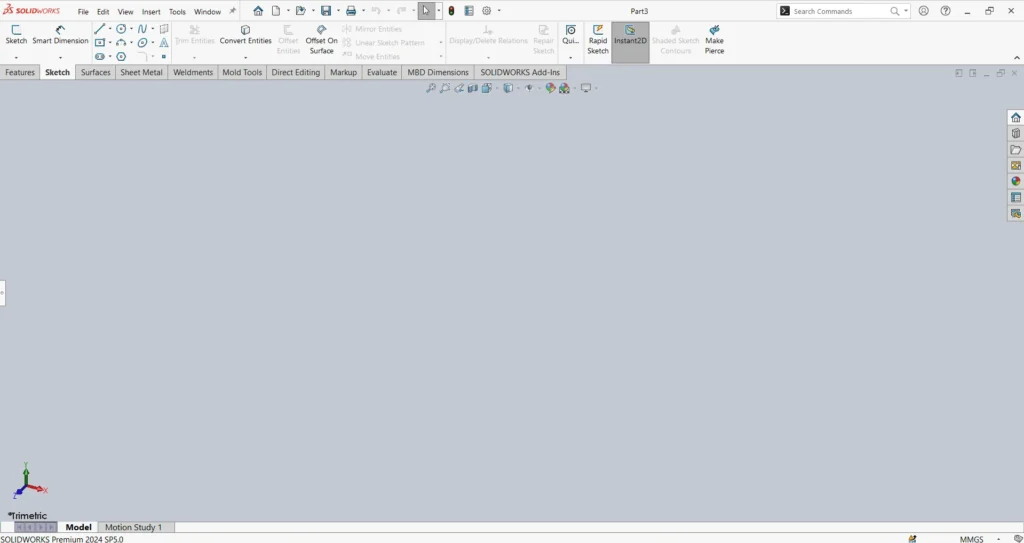
Open SOLIDWORKS, access the 3D sketch tool in Command manager tab.
Initiated by selecting 3D Sketch from the sketch dropdown menu.
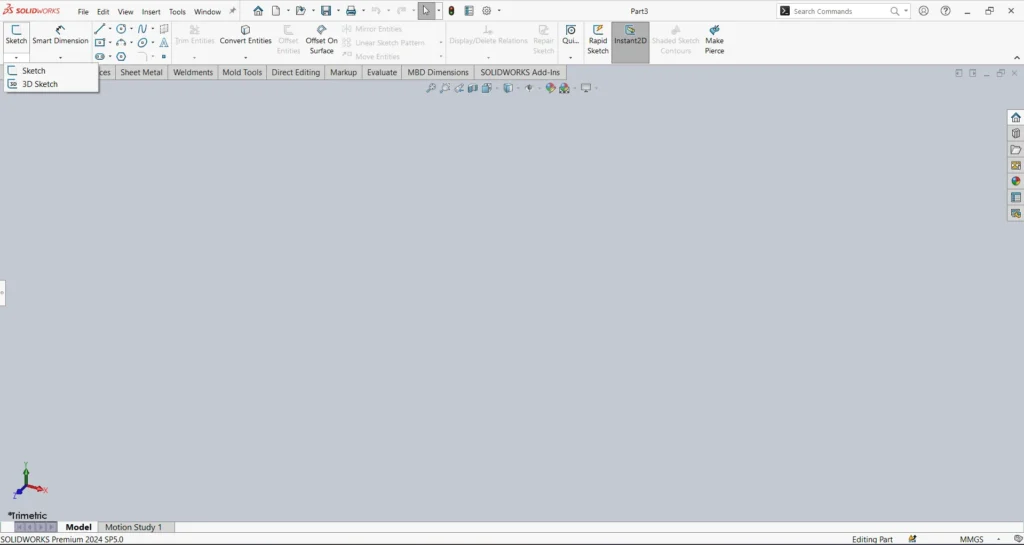
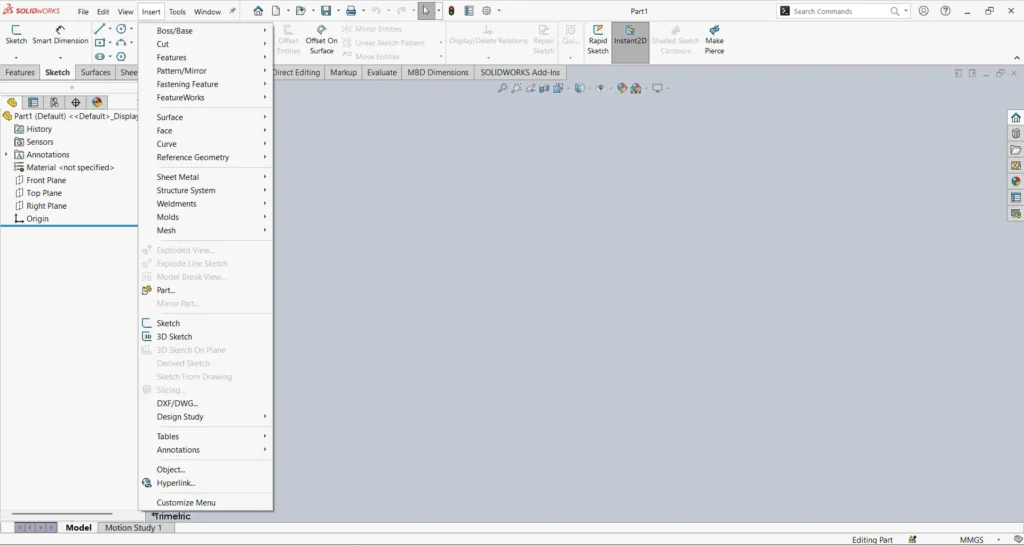
Step 2: Either go to Insert Menu > access 3D Sketch.
Step 3: Choose Sketch Tool
Select tools such as line, spline, or arc.
Step 4: Control Direction
Use the Tabkey or directional controls to switch between X, Y, and Z axes.
Step 5: Add Relations and Dimensions
Apply sketch relations and dimensions to define the geometry properly.
Step 6: Use the Sketch for Features
Once the sketch is complete, it can be used for sweep, loft, or weldment features.
Applications of SolidWorks 3D Sketch:
3D sketching is widely used in several engineering applications.
- Piping and Tubing Design: Engineers create 3D paths to define how pipes move through equipment or structures.
- Electrical Cable Routing: Electrical systems often require complex wire routing inside machines. 3D sketches help visualize and design these routes.
- Structural Frames: In structural design, engineers create frame skeletons using 3D sketches before applying beam profiles.
- Surface Modeling: Complex surfaces require guide curves that are created using 3D sketches.
Why we want to use 3D sketch:
Using 3D sketches offers many benefits for CAD designers:
- Design Flexibility: Designers can create complex spatial paths without creating multiple reference planes.
- Efficient Modeling: 3D sketches reduce the number of sketches required in a model.
- Improved Visualization: Designers can better understand how components interact in three-dimensional space.
- Better Routing Design: 3D sketches make routing pipes, cables, and tubes easier and more accurate.
Tips for Working with 3D Sketch in SolidWorks:
Here are some useful tips for efficient 3D sketching:
- Use reference planes and axes for better control
- Apply relations early to avoid sketch errors
- Use splines for smoother curves
- Fully define the sketch to maintain stability
- Break complex paths into smaller segments
Conclusion:
3D sketching is one of the most powerful tools in SolidWorks for creating complex spatial geometry. It allows designers to move beyond the limitations of traditional 2D sketches and build advanced models used in piping systems, structural frames, cable routing, and surface design.

Authur:
Ajithkumar R is an SOLIDWORKS Application Engineer at EGS Computers India Pvt Ltd, specializing in 3D CAD design, technical supports, and engineering solutions. With hands-on expertise in SOLIDWORKS, he supportsengineers and designers streamline their workflows.

