

SOLIDWORKS Certification Program Guide | CSWA, CSWP, CSWE Explained
In today’s competitive engineering and design industry, having only practical software knowledge is no longer sufficient. Employers increasingly seek validated skills that demonstrate both strong theoretical understanding and hands-on expertise. This is where the SOLIDWORKS Certification Program plays a crucial role.
By successfully completing a SOLIDWORKS certification exam, engineering CAD professionals can validate their skills and earn an industry-recognized credential. In today’s competitive job market, this certification serves as strong evidence of design proficiency and professional commitment. SOLIDWORKS offers a comprehensive range of 30 certifications.
You can attempt the certification in two ways.
- You can purchase the certification by visiting the SOLIDWORKS Certification Program page
- You can take the exam through your SOLIDWORKS subscription.
- If your SOLIDWORKS license is under an active subscription, you can attend the exam free of cost.
- You are allowed to take up to three certification exams within a period of six months.
The certification program is structured in multiple levels:
For Design:
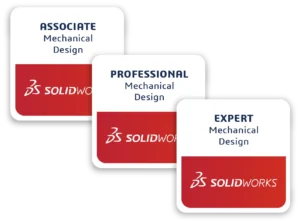
CSWA (Certified SOLIDWORKS Associate) – Entry-level certification
CSWP (Certified SOLIDWORKS Professional) – Intermediate level
Advance topics:
CSWP-SM (SOLIDWORKS Sheet Metal Professional)
CSWP-WD (SOLIDWORKS Weldments Professional)
CSWP-SU (SOLIDWORKS Surfacing Professional)
CSWP-DT (SOLIDWORKS Drawing Tools Professional)
Final Exam:
CSWE (Certified SOLIDWORKS Expert) – Advanced level
CSWA (Certified SOLIDWORKS Associate):
The CSWA (Certified SOLIDWORKS Associate) certification is designed for users who are new to the SOLIDWORKS software and have completed a beginner-level course. This associate-level certification validates fundamental knowledge and basic skills, making it ideal for individuals who are starting their careers or transitioning into a new domain.
The exam may include hands-on challenges covering key areas such as
- Sketching (entities, tools, and relations),
- Basic and advanced features.
- Mass properties and materials assign.
- Assembly creation
- Basic drawing views with annotations.
Exam Duration: 3 hours
CSWP (Certified SOLIDWORKS Professional):
The CSWP (Certified SOLIDWORKS Professional) exam in SOLIDWORKS is divided into three separate segments. You don’t need to complete the entire exam in one sitting—you can take each segment anytime and, in any order, or complete all three together if you prefer.
Once you pass a segment, you don’t need to retake it. If you fail a segment, you can retake only that specific part by purchasing it again. After successfully completing all three segments, you will automatically receive your CSWP certification.
Note: You can directly attempt the CSWP exam without completing the CSWA
Topic cover
Segment 1 (70 Minutes | Pass: 75/105)
- Create part from drawing
- Use equations and linked dimensions
- Update parameters and dimensions
- Mass properties analysis
- Modify and enhance part geometry
Segment 2 (50 Minutes | Pass: 77/104)
- Create and manage configurations
- Use Design Table
- Modify existing part features
- Mass properties evaluation
Segment 3 (80 Minutes | Pass: 77/109)
- Create and manage assemblies
- Add and replace components
- Collision & interference detection
- Apply mates (basic & advanced)
- Work with subassemblies and coordinate systems
Exam Duration: 3 hours 20 minutes (All segments total)
CSWE (Certified SOLIDWORKS Expert)
Note:
Exam Prerequisites:
- Successfully pass the CSWP (Certified SOLIDWORKS Professional) exam.
- Successfully pass at least four CSWP advanced topic exams (such as Sheet Metal, Weldments, Surfacing, Mold Tools, or Drawing Tools)
You can attempt the CSWE (Certified SOLIDWORKS Expert) exam only after completing both of the above requirements.
The exam may include hands-on challenges in advanced areas of SOLIDWORKS, such as:
- Advanced features like lofts and sweeps
- Working with assemblies, including in-context design and mates
- Modifying imported parts
- Using tools like move/copy bodies and split
- Creating multi-body parts and 3D sketches
- Working with belts, chains, and springs
- Using sketch blocks and sketch pictures
- Advanced weldments and sheet metal modifications
- Managing assembly configurations
- Working with advanced Bill of Materials (BOM) features
Exam Duration: 4 hours
Pass: 80%
“Thanks for taking the time to read!! Hope it will helps enhance your work”
We will discuss about more certifications on upcoming blogs

Authur:
Jagathrachagan A is an Application Engineer with a background in mechanical engineering. He specializes in providing solutions for customer queries and technical issues. He is dedicated to helping users tackle complex design challenges by offering training and timely guidance, empowering them to effectively use the software to meet their specific needs.

