

Overcoming Drafting Bottleneck: Why SOLIDWORKS AI is a Bottom-Line Game Changer
Every manufacturing and engineering executive knows the invisible wall that kills product momentum. You have an incredible 3D model, a breakthrough design, and a team of brilliant engineers eager to push the boundaries of innovation. Then, everything grinds to a halt. Why? Because someone has to create the 2D drawings.
Historically, detailing, adding dimensions, setting up section views, and configuring hole callouts has been the necessary grunt work of the engineering world. It’s tedious, prone to human error, and routinely eats up to 30% to 40% of an engineer’s billable hours. But with the arrival of SOLIDWORKS 2026, that bottleneck has officially been eliminated. The integration of embedded generative and assistive AI—specifically the new Auto-Generate Drawing capability—is changing the calculus of product development. This isn’t just a neat technical feature; it is a profound business transformation.
The Tech Behind the Magic:
From3DModeltoProduction-ReadyinClicks
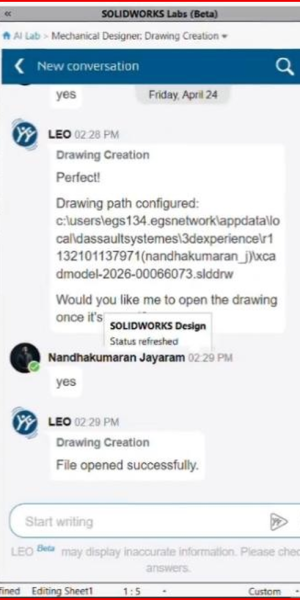
For years, “automation” in CAD meant rigid macros or predefined templates that still required extensive human tweaking. SOLIDWORKS 2026 introduces something entirely different: true AI-powered generation driven by secure, purpose-built models and AI Virtual Companions like LEO. Here is what happens behind the scenes when you leverage the Auto-Generate Drawings feature:
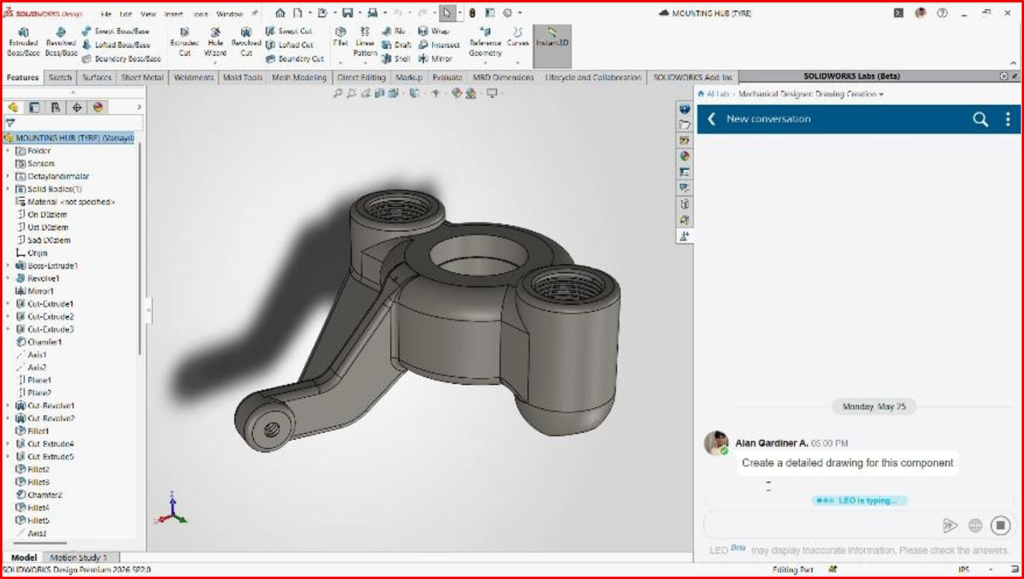
Intelligent Layout & Scaling:
The AI analyses the unique geometry of our part or complex assembly, automatically determines the ideal sheet size based on your chosen drafting standards, and scales the views perfectly to eliminate overlap.
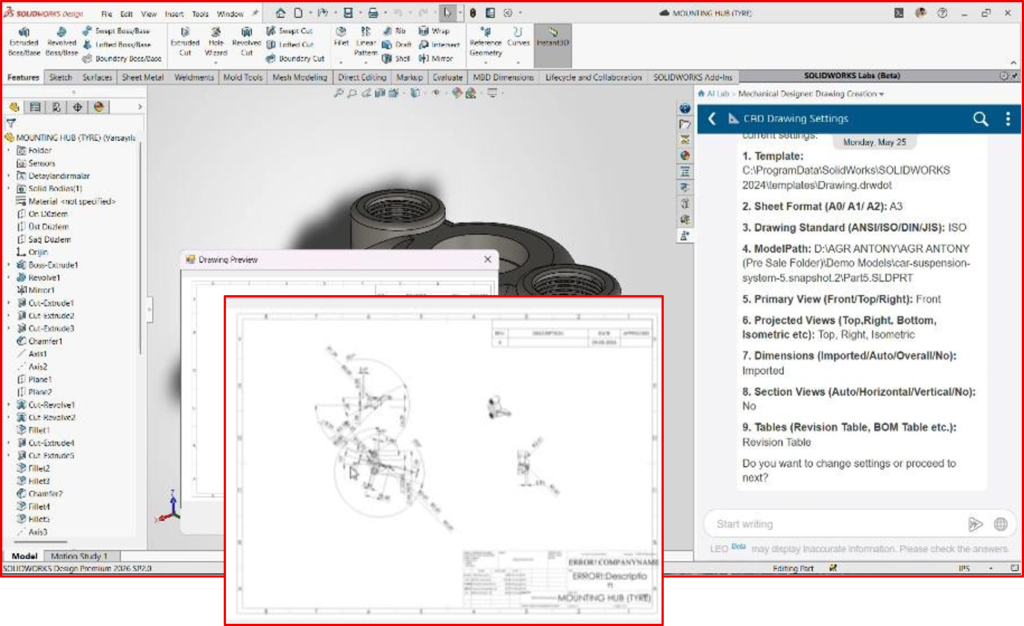
Automated Detailing & Dimensioning:
It generates complex internal section views, reference dimensions, tolerances, and hole callouts—even on generic imported 3D geometry like STEP files which is a massive step on positive direction in detailing.
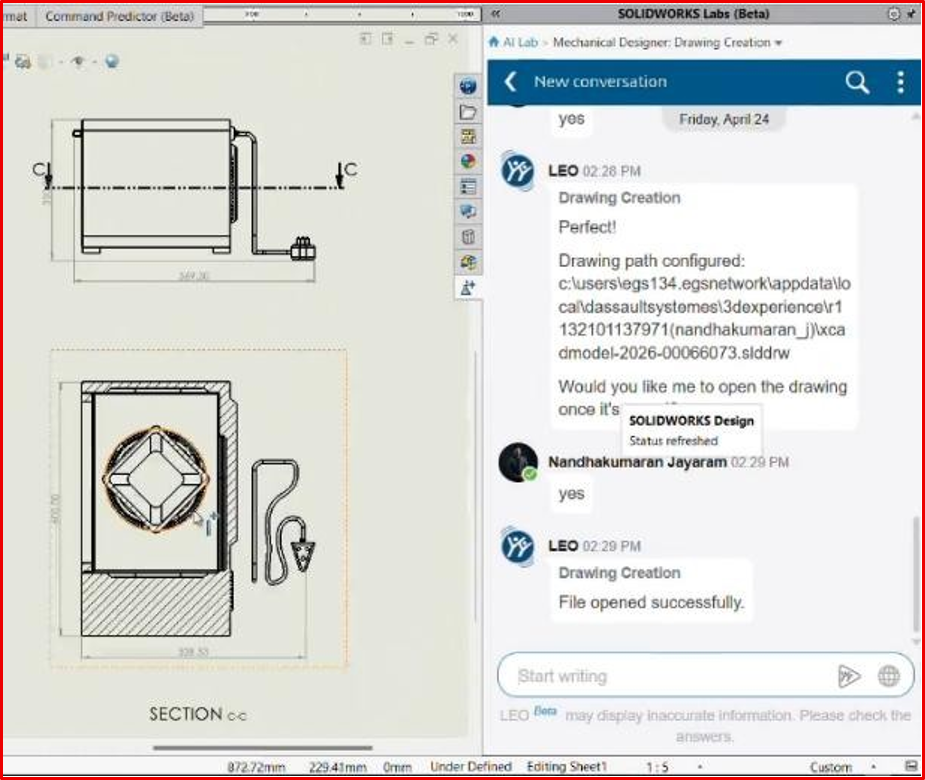
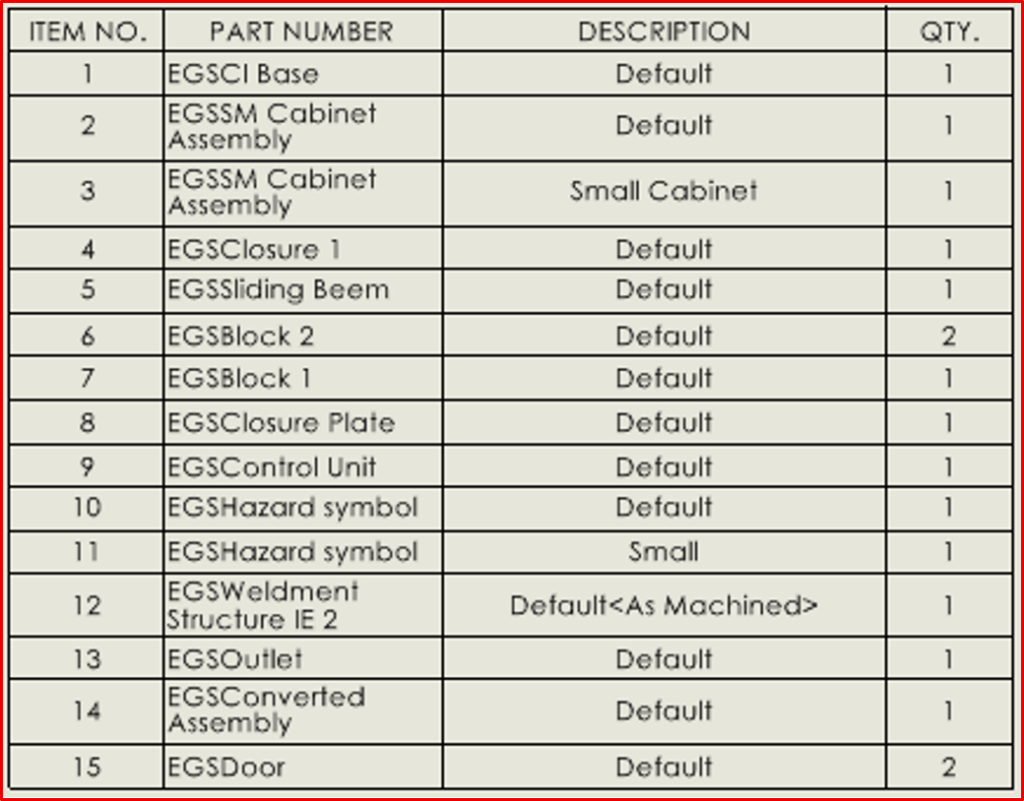
Instant Assembly Documentation:
Bill of Materials (BOMs), balloons, and revision tables are dynamically populated and cleanly arranged across the drawing sheet without manual
intervention. It isn’t a rigid, one-size-fits-all automation tool
either. Engineers can interact with the AI Virtual Companion using simple text prompts to refine previews, change standards, and adjust layouts on
the fly. It behaves like an elite drafting assistant operating at the speed of thought.
The Business ROI:
When evaluating software upgrades from an executive perspective, we don’t just look at what the software does; We look at what it saves. The financial and operational benefits of automating drawing creation are immediate and compounding.
1. Accelerating Time-to-Market (Speed is Currency)
In today’s hyper-competitive market, being first matters. If our engineering cycle is delayed by weeks just to clear the drawing queue, you are actively losing market share. By offloading the initial 70% to 80% of drawing layout and tedious annotation work to SOLIDWORKS AI, your
engineering velocity skyrockets. Projects move from design sign-off to the shop floor in hours, not weeks.
2. Radical Resource Optimization
Our engineers were hired to innovate, solve complex physics problems, and optimize product performance—not to spend all day clicking lines to place dimensions. By automating the low-value, highly repetitive task of drawing creation, we unlock their true potential by which, essentially expanding our engineering capacity.
3. Slashing Costly Manufacturing Rework
Human error is an expensive line item. A missed tolerance or a misread hole callout on a manual drawing can lead to thousands of dollars in scrapped material and delayed production runs. The SOLIDWORKS AI operates with digital precision, pulling geometric data directly from the 3D source of truth and standardizing documentation according to strict industry codes, drastically reducing downstream manufacturing errors.
4. Mitigating Engineer Burnout
The repetitive “grunt work” of drafting is a leading cause of burnout among junior and senior designers alike. Empowering our team with an AI “co-pilot” keeps morale high. They stay engaged in creative, high-impact problem solving, leading to a happier engineering culture
The Enterprise Elephant in the Room: IP Security
Whenever AI is brought into a corporate boardroom, the immediate concern is data privacy: “Is our proprietary IP being used to train a public model?”
Dassault Systèmes has built SOLIDWORKS AI with an uncompromising commitment to security. The AI models are trained strictly on proprietary or synthetic data—never on your live client data. Everything operates securely within your intended parameters and cloud infrastructure, adhering to the rigorous standards of the Dassault Systèmes Trust Centre. Our intellectual property remains entirely ours.
AI in CAD isn’t about replacing the engineer; it’s about liberating them. It acts as a digital co-pilot; as a companion that takes the pain out of documentation so your team can focus on what they do best: creating incredible products. If your business is still using legacy, manual drafting workflows, you might be paying a hidden tax on every single product you launch. The efficiency gains, error reduction, and sheer speed offered by SOLIDWORKS 2026’s AI capabilities are no longer just an advantage—they are a baseline requirement to stay competitive. Stop letting 2D documentation slow down your 3D vision. It’s time to upgrade your engineering workflow, empower your team, and maximize your bottom line.

