

Open an existing structural member (.sldlfp) file in SOLIDWORKS.
Location:
For Desktop SOLIDWORKS
C:\Program Files\SOLIDWORKS Corp\SOLIDWORKS\data\weldment profiles
For 3DEXPERIENCE SOLIDWORKS
C:\Program Files\Dassault Systems\SOLIDWORKS 3DEXPERIENCE \ SOLIDWORKS\data\weldment profiles
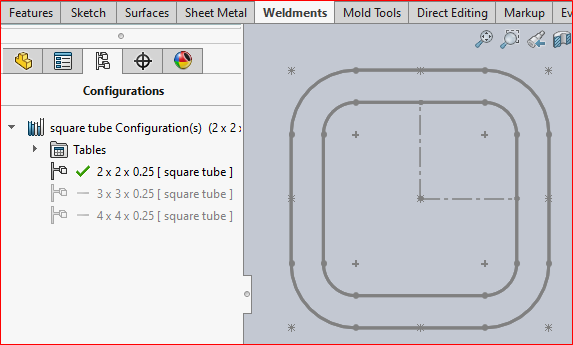
Open the file from the given standard, which you want to configure.
Let us take a square tube library feature from the standard “Ansi Inch”
By default, it has three configurations:
- 2x2x0.25
- 3x3x0.25
- 4x4x0.25
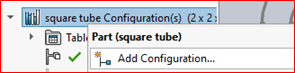
Now, we’re going to create a configuration “5 x5 x 0.25”.
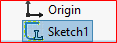
Right click the file name and click “Add configuration”Right click the sketch and click “Configure Feature”.
Now, the configuration table opens.
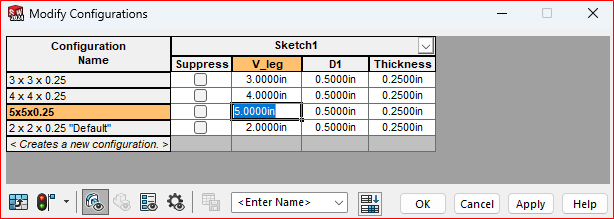
In that, modify the value V_leg to 5inches and click Apply and Ok.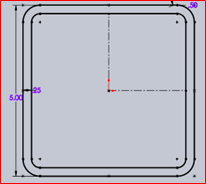
Now, the value changed to 5 inches.
Click “Exit Sketch” and save the file.
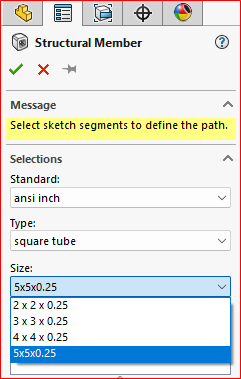
Now, we can check that the configuration
updated in the “Ansi Inch” standard.This is how we can customize the default
structural members with new configurations.Additionally, we can download the weldment
profiles with multiple configurations from
the SOLIDWOKRS content.For example, here I can map an “ANSI Inch” profiles with default structural members.
Go to Task Pane> Design Library > SOLIDWOKRS Content > Weldments
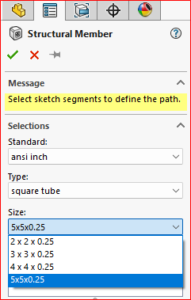
Now, you can find the weldment profiles of
various standards on the task pane.Use CTRL + Click to download the file.
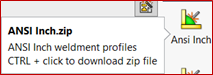
Extract the files to copy all the profiles and paste
into the default “ANSI Inch” standard location.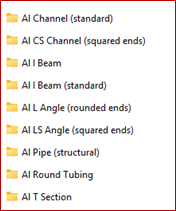
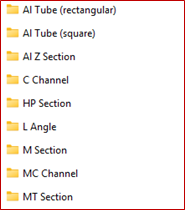
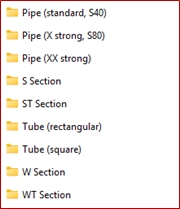
Now, you can find the various profiles with multiple configurations in the weldment profile folder.
All these standard weldment profiles and the configurations will appear automatically in the structural member property manager.
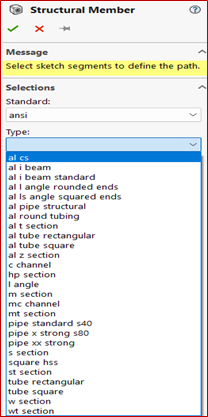
ConclusionUsing the above two functionalities, the user can customize their own design parameters on existing weldment profile configurations and can also use a list of standard profiles with multiple configurations by downloading them from SOLIDWORKS Content in the Design Library.